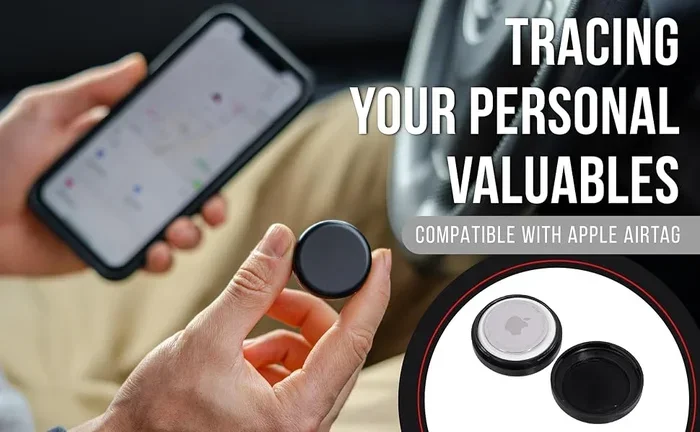
Can an AirTag Track a Car and How Well It Actually Works
Yes, an AirTag can track a car, but it has some important limitations you should know about. Apple’s AirTag tracking uses Bluetooth and the Find My network rather than true GPS. This means car location tracking works best when other Apple devices are nearby. The AirTag range is limited, accuracy varies, and it is not a replacement for a dedicated GPS car tracker. Still, for many drivers, an AirTag is a surprisingly useful and affordable vehicle tracking option.
Have you ever parked your car in a huge lot and walked past it three times? Or maybe you forgot exactly where you left your vehicle at the airport? These moments are frustrating, and they make a lot of people wonder about AirTag tracking for cars. The question is simple: can an AirTag track a car?
The short answer is yes. But the full answer is more nuanced. AirTag car tracking works differently from a traditional GPS tracker. It does not use satellites. Instead, it leans on Bluetooth signals and Apple’s massive Find My network. This makes it a clever tool for certain situations but not a perfect solution for every need.
In this guide, we will walk through everything you need to know. We will cover how AirTag tracking actually works, what the real-world performance looks like, and whether it is worth using as a car location tracker. By the end, you will know exactly what to expect and how to get the best results.
Key Takeaways
- AirTags can track cars: They use Bluetooth and the Find My network to help you locate your vehicle.
- No built-in GPS: AirTags rely on nearby Apple devices to relay location data, which limits true real-time tracking.
- Range is limited: The Bluetooth range is about 30 to 100 feet, and tracking depends on population density.
- Battery lasts about one year: The CR2032 coin cell battery needs replacement annually.
- Accuracy varies: Precision Finding works well in close range, but long-distance location updates are less precise.
- Great for finding a parked car: AirTags excel at helping you locate your vehicle in large parking lots or garages.
- Not ideal for real-time fleet tracking: Dedicated GPS trackers are far better for live, continuous vehicle monitoring.
📑 Table of Contents
- How AirTag Tracking for Cars Works
- Can an AirTag Track a Car in Real Time?
- Setting Up an AirTag to Track Your Car
- AirTag Range and Limitations for Car Tracking
- AirTag vs. Dedicated GPS Car Trackers
- Practical Tips for Using an AirTag to Track Your Car
- Common Mistakes People Make with AirTag Car Tracking
- Expert Insights on AirTag Car Tracking
- Key Takeaways
- Conclusion
How AirTag Tracking for Cars Works
Understanding the Technology Behind AirTag Car Tracking
An AirTag is a small, coin-shaped device made by Apple. It uses Bluetooth Low Energy to communicate with nearby devices. When you place an AirTag inside or on your car, it sends out a secure Bluetooth signal. Nearby Apple devices pick up that signal and relay the location back to you through the Find My app.
This is different from a GPS car tracker. A GPS tracker uses satellites to pinpoint exact coordinates. An AirTag does not have a GPS chip. Instead, it depends on the Find My network, which includes hundreds of millions of Apple devices worldwide. When another Apple user walks near your AirTag, their device picks up the location and sends it to you anonymously.
Here is how the process works step by step:
- The AirTag broadcasts a secure Bluetooth signal.
- A nearby Apple device detects the signal.
- The device sends the location data to Apple’s servers.
- You receive the location update in the Find My app.
The entire process is designed to be private and secure. Apple does not store your identity or location history. The Apple tracking device uses end-to-end encryption to protect your data.
The Role of the Find My Network
The Find My network is the secret weapon behind AirTag tracking. It is a crowdsourced location system. Every Apple device acts as a tiny beacon that can detect nearby AirTags. This means that even if your phone is not near the AirTag, another person’s iPhone might be.
This works incredibly well in populated areas. If you park your car in a busy city, there are likely many Apple devices passing by. In rural areas, the network is thinner. This is one of the biggest factors that affects how well an AirTag tracks a car.
Can an AirTag Track a Car in Real Time?
Real-Time vs. Periodic Location Updates
One of the most common questions is whether an AirTag provides real-time tracking. The honest answer is no, not truly real-time. AirTag car tracking delivers location updates when an Apple device comes within Bluetooth range of the tag.
This means the updates are not continuous. If you are driving, the AirTag will update its location whenever it passes another Apple device. In a busy city, this could mean updates every few minutes. In a quiet rural area, updates might only come once an hour or less.
For finding a lost or stolen car, this can still be very useful. You can see the general area where the car was last detected. But if you need live, second-by-second tracking, an AirTag is not the right tool for that job.
What to Expect from Location Accuracy
The accuracy of AirTag tracking depends on several factors. In close range, Precision Finding can guide you right to the tag within inches. This feature uses U1 ultra-wideband technology in newer iPhones.
At longer distances, accuracy drops. The location shown in the Find My app might be off by a few hundred feet or more. This is because the update relies on the last Apple device that detected the AirTag, not on a direct satellite signal.
Here are the main factors that affect accuracy:
- Distance from the nearest Apple device
- Population density of the area
- Whether the AirTag is indoors or outdoors
- Battery level of the AirTag
- Interference from metal or other materials
Setting Up an AirTag to Track Your Car
Step-by-Step Setup Process
Setting up an AirTag for car tracking is straightforward. Here is what you need to do:
- Unbox the AirTag and pull the plastic tab from the battery.
- Bring the AirTag close to your iPhone.
- Follow the on-screen prompts to pair it with your Apple ID.
- Name the AirTag something like “My Car.”
- Place the AirTag in a secure spot inside your vehicle.
Once set up, the AirTag will appear in your Find My app. You can check its location anytime you have internet access.
Best Places to Hide an AirTag in a Car
Where you place the AirTag matters. You want it hidden from view but in a spot where it can easily connect to nearby devices. Some good locations include:
- Under the dashboard on the passenger side
- Inside the center console
- In the glove compartment
- Under a seat
- Inside the trunk near the spare tire
Avoid placing the AirTag near thick metal or electronic interference. Metal surfaces can block the Bluetooth signal and reduce tracking performance.
AirTag Range and Limitations for Car Tracking
Bluetooth Range Explained
The direct Bluetooth range of an AirTag is about 30 to 100 feet. This is the distance at which the AirTag can connect to a nearby Apple device. However, the effective tracking range is much larger thanks to the Find My network.
Even if your AirTag is far from your phone, it can still be located if another Apple user walks by it. This is what makes AirTag tracking so powerful in cities and suburbs. In areas with few Apple device users, the range effectively shrinks.
Where AirTag Car Tracking Falls Short
No device is perfect, and the AirTag has clear limitations when used for vehicle tracking. Here are the main drawbacks:
- No real-time GPS: Updates are not continuous or live.
- Dependence on other devices: In remote areas, there may be no Apple devices nearby to relay location.
- Battery replacement: The CR2032 battery lasts about one year and requires manual replacement.
- No historical tracking: The Find My app shows the last known location, not a full travel history.
- No speed or direction data: Unlike a GPS tracker, an AirTag does not show how fast the car is moving or which direction it is heading.
AirTag vs. Dedicated GPS Car Trackers
Head-to-Head Comparison
To understand where the AirTag stands, it helps to compare it directly with a dedicated GPS car tracker. Here is a side-by-side look:
| Feature | AirTag | Dedicated GPS Tracker |
|---|---|---|
| Tracking Technology | Bluetooth + Find My network | GPS + cellular network |
| Real-Time Tracking | No | Yes |
| Update Frequency | When near Apple devices | Every few seconds |
| Monthly Fee | None | |
| Battery Life | ~1 year | Rechargeable, days to weeks |
| Accuracy | Moderate | High (within meters) |
| Ease of Setup | Very easy | Requires installation |
| Best Use Case | Finding parked car | Live fleet tracking, theft recovery |
As you can see, each option has its strengths. The AirTag wins on simplicity and cost. A GPS tracker wins on precision and live tracking capability.
When to Choose an AirTag for Car Tracking
An AirTag is a great choice if you mainly want to find your car after parking. It is also ideal if you do not want to pay monthly fees or deal with complicated installation. For most everyday drivers, an AirTag handles the most common tracking need perfectly well.
When to Choose a GPS Tracker Instead
You should invest in a dedicated GPS car tracker if you need real-time location data, travel history, or geofencing alerts. Fleet managers, parents tracking teen drivers, or owners of high-value vehicles will benefit more from a proper GPS solution.
Practical Tips for Using an AirTag to Track Your Car
Maximize Battery Life
The AirTag battery lasts about one year on average. To get the most out of it, avoid placing the tag in extreme heat or cold. These conditions can drain the battery faster. You will get a low-battery notification in the Find My app when it is time to replace the CR2032 coin cell.
Use Precision Finding for Close-Range Searches
If you are standing near your car and cannot find it, use Precision Finding. On compatible iPhones, this feature provides directional guidance using augmented reality. It works like a digital compass that points you straight to the AirTag. This is incredibly handy in parking garages or crowded lots.
Enable Notifications
You can set up notifications in the Find My app to alert you when your AirTag moves away from your phone. This is useful if you are worried about car theft. If someone drives off with your AirTag, you will get an alert on your iPhone.
Keep the AirTag Secure
Use a mount or adhesive holder to keep the AirTag in place. Vibrations from driving can cause a loose AirTag to shift or fall. A secure mount ensures consistent signal strength and prevents the tag from moving around.
Common Mistakes People Make with AirTag Car Tracking
Placing the AirTag Too Close to Metal
One of the most common mistakes is taping the AirTag directly to a metal surface. The metal blocks Bluetooth signals and weakens tracking performance. Always place the AirTag in a fabric-lined area or use a protective case.
Expecting GPS-Level Accuracy
Some users expect an AirTag to work like a GPS vehicle tracker. It does not. The location updates are periodic and approximate. Understanding this limitation helps set realistic expectations and prevents frustration.
Forgetting to Replace the Battery
The AirTag does not have a rechargeable battery. When the CR2032 dies, the tag stops working completely. Make a habit of checking the battery status every few months and replacing it before it runs out.
Ignoring Privacy Features
Apple has built-in anti-stalking features. If an AirTag is separated from its owner for an extended period, it will emit a sound to alert people nearby. This is great for privacy but can be confusing if you are trying to track a car that has been parked for days.
Expert Insights on AirTag Car Tracking
Automotive and tech experts generally agree that the AirTag is a solid tool for finding a parked car. It is not designed to be a full-blown vehicle tracking system, but it fills a specific niche very well.
Security professionals also note that AirTag car security can serve as a deterrent. Knowing that an AirTag is hidden in the car makes it easier to recover a stolen vehicle. Many police departments now recommend using AirTags as a supplementary security measure alongside traditional car alarms and steering wheel locks.
That said, experts caution against relying solely on an AirTag for theft recovery. A dedicated GPS tracker with cellular connectivity provides far more reliable and continuous location data. The best approach is to use both tools together for maximum protection.
Key Takeaways
- AirTags can track cars: They use Bluetooth and the Find My network to help you locate your vehicle.
- No built-in GPS: AirTags rely on nearby Apple devices to relay location data, which limits true real-time tracking.
- Range is limited: The Bluetooth range is about 30 to 100 feet, and tracking depends on population density.
- Battery lasts about one year: The CR2032 coin cell battery needs replacement annually.
- Accuracy varies: Precision Finding works well in close range, but long-distance location updates are less precise.
- Great for finding a parked car: AirTags excel at helping you locate your vehicle in large parking lots or garages.
- Not ideal for real-time fleet tracking: Dedicated GPS trackers are far better for live, continuous vehicle monitoring.
Conclusion
So, can an AirTag track a car? Absolutely. It is a handy, affordable tool that solves one of the most common everyday problems: forgetting where you parked. AirTag tracking leverages Apple’s massive Find My network to give you a solid idea of where your car is located.
However, it is important to understand what an AirTag can and cannot do. It is not a real-time GPS tracker. It does not provide continuous updates or travel history. Its accuracy depends on the density of Apple devices nearby. For finding a parked car in a mall or airport, it is excellent. For tracking a stolen vehicle in real time, a dedicated GPS tracker is a better choice.
If you are looking for a simple, no-hassle way to always know where your car is, an AirTag is a fantastic option. It is easy to set up, costs a one-time fee, and requires no monthly subscription. Just manage your expectations, place the tag wisely, and replace the battery once a year.
The bottom line is this: AirTag car tracking works well for its intended purpose. It fills a gap that many drivers did not even know they had. Give it a try, and you will wonder how you ever managed without it.
Frequently Asked Questions
Can an AirTag track a car in real time?
No, an AirTag does not provide true real-time tracking. It updates its location when a nearby Apple device picks up its Bluetooth signal. In busy areas, updates can be frequent, but they are not continuous like a GPS tracker.
How far can an AirTag track a car?
The direct Bluetooth range is about 30 to 100 feet. However, the Find My network extends the effective range much further. As long as another Apple user is near the AirTag, its location can be relayed to you from anywhere in the world.
Is using an AirTag to track a car legal?
Yes, tracking your own car with an AirTag is perfectly legal. However, using an AirTag to track someone else’s vehicle without their consent may violate privacy laws in many jurisdictions. Always use tracking devices responsibly and ethically.
How long does the AirTag battery last when used for car tracking?
The AirTag battery typically lasts about one year with regular use. If the car is parked in an area with many Apple devices, updates may happen more frequently, which can slightly reduce battery life.
Will an AirTag work if my car is stolen?
Yes, an AirTag can help recover a stolen car. As long as the thief drives past other Apple devices, the AirTag location will update. You can share the location with law enforcement to assist in recovery. However, a dedicated GPS tracker with cellular connectivity is more reliable for theft situations.
Do I need a subscription to use an AirTag for car tracking?
No. There are no monthly fees or subscriptions required for AirTag tracking. The Find My network is free to use, and the AirTag runs on a standard CR2032 battery that costs just a few dollars to replace.