Why Is My Bluetooth Not Playing Through My Car Anymore
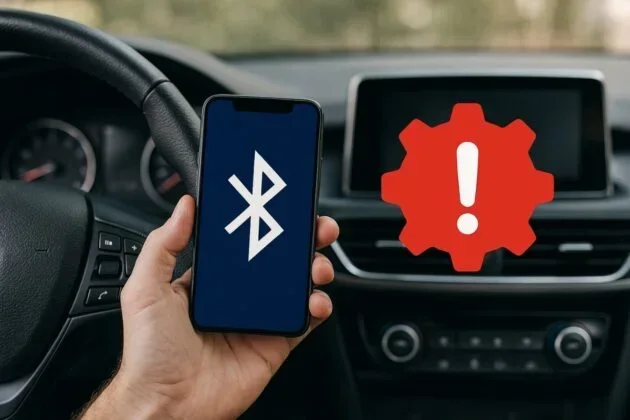
Your Bluetooth may stop playing through your car due to pairing glitches, outdated software, or settings conflicts. The good news is that most causes are simple to fix at home without a mechanic. This guide covers every common reason and gives you clear, step-by-step solutions to get your music back.
You are cruising down the highway, belting out your favorite song, when suddenly the music stops. Your Bluetooth not playing through car speakers has struck again. This is one of the most annoying problems drivers face, and it can happen to anyone at any time.
The frustration is real. You paired your phone last week and it worked perfectly. Now, out of nowhere, you get silence or choppy audio. The good news is that this issue is almost always fixable. Most of the time, the cause is something simple like a settings glitch or a software update that went wrong. In this article, we will explore every reason your Bluetooth audio not working in car and give you the exact steps to fix it. No expensive repairs needed. Just clear, practical advice you can use right now.
Key Takeaways
- Pairing Issues Are the #1 Culprit: A loose or corrupted Bluetooth connection is the most common reason your audio cuts out.
- Restart Both Devices First: A simple reset of your phone and car system solves the problem more often than you think.
- Check Your Car Infotainment System: Sometimes the issue lives in your car’s settings, not your phone.
- Keep Software Updated: Outdated Bluetooth firmware or phone software causes compatibility and audio delay problems.
- Clear the Bluetooth Cache: This fixes hidden glitches that a normal restart does not touch.
- Know When to Seek Help: If none of the fixes work, the car’s Bluetooth module or your phone’s hardware may need professional attention.
📑 Table of Contents
- Why Is My Bluetooth Not Playing Through My Car Anymore?
- Common Reasons Your Car Bluetooth Stops Working
- Step-by-Step Fixes to Restore Bluetooth Audio
- When the Problem Is Your Phone
- When the Problem Is Your Car’s Audio System
- Preventing Bluetooth Issues in the Future
- When to Seek Professional Help
- Final Thoughts
Why Is My Bluetooth Not Playing Through My Car Anymore?
The question why is my Bluetooth not playing through my car anymore has several answers. Each one points to a different part of the Bluetooth connectivity chain. Understanding where the break happens is the first step toward a fix.
Think of your Bluetooth wireless audio streaming like a conversation between two people. Your phone is speaking, and your car stereo is listening. If either one stops paying attention, the conversation breaks down. The Bluetooth pairing process is how they agree to talk to each other. When that agreement gets disrupted, your music stops.
Several things can disrupt this conversation. A software update on your phone might change how it handles Bluetooth connections. A new app could interfere with audio output. Your car’s infotainment system might need a refresh. Sometimes the problem is as simple as your phone being too far from the car’s antenna. Whatever the cause, knowing what to look for saves you time and stress.
How Bluetooth Audio Streaming Works in Your Car
When you pair your phone with your car, you are creating a short-range wireless link. This link handles two jobs. First, it lets you make hands-free calling. Second, it streams wireless audio from your phone to your car speakers. Both jobs use the same connection, but they rely on different profiles. The music profile is called A2DP, and the calling profile is called HFP.
If your Bluetooth audio streaming stops but calls still work, the A2DP profile has likely disconnected. If both stop, the entire Bluetooth link has dropped. This distinction matters because it tells you where to look for the fix. A problem with the audio profile is usually easier to solve than a full connection failure.
Common Reasons Your Car Bluetooth Stops Working
Before you start troubleshooting, it helps to know what went wrong. Here are the most common reasons your car Bluetooth audio cuts out or stops entirely.
1. Bluetooth Pairing Glitches
The most common cause of Bluetooth not connecting to car is a pairing glitch. Over time, your phone and car build up a list of remembered devices. Sometimes this list gets cluttered or corrupted. The connection looks fine on the surface, but the audio data is not flowing properly.
This happens a lot after phone updates. Your phone may forget the old pairing and create a new one that does not match correctly. The result is silence or very low volume from your car stereo Bluetooth system.
2. Software or Firmware Updates
Updates are supposed to fix things, but sometimes they create new problems. A phone update can change how Bluetooth audio routing works. A car infotainment update can reset your Bluetooth settings. If your audio stopped right after an update, that update is likely the cause.
Both Android and iOS phones occasionally change their Bluetooth version behavior after major updates. Your car’s system may not be fully compatible with the new version yet. This creates an audio sync issue where the sound and video do not match, or the audio cuts in and out.
3. Bluetooth Cache and Memory Issues
Your phone stores Bluetooth cache data to speed up connections. Over time, this cache can become corrupted. When that happens, your phone may connect to the car but fail to send audio properly. Clearing the cache is one of the most overlooked fixes for Bluetooth connectivity issues.
4. Distance and Signal Interference
Bluetooth range is typically about 30 feet. If your phone is buried in your bag or tucked in a back pocket, the signal may be too weak. Metal objects, other wireless devices, and even your car’s own electronics can create signal interference that disrupts the connection.
Some cars have weak Bluetooth antennas, especially older models. If you sit in the back seat and lose audio, weak signal strength could be the problem. This is not a bug, it is just the limits of the technology.
5. Device Compatibility Problems
Not all phones work perfectly with all car systems. Device compatibility matters, especially with older car stereos. If you recently switched phones, the new device may use a slightly different Bluetooth protocol that your car does not fully support.
Some cars also struggle with Bluetooth multipoint connections, where two devices are connected at the same time. If your phone is trying to share the connection with a smartwatch or tablet, the audio may drop or fail to play through the car.
Step-by-Step Fixes to Restore Bluetooth Audio
Now that you know the common causes, let us get into the fixes. Try these steps in order. Most people solve the problem by step three or four.
Step 1: Restart Both Devices
This sounds too simple, but it works more than you would expect. Restarting clears temporary glitches in both your phone and your car’s system. Turn off your car completely, wait 30 seconds, and start it again. Then restart your phone.
After both devices are back on, try playing music. In many cases, this alone restores your Bluetooth audio streaming. The restart refreshes the Bluetooth connection and clears any temporary hiccups in the pairing.
Step 2: Forget and Re-Pair the Device
If restarting did not work, the next step is to forget the car on your phone and re-pair it. Go to your phone Bluetooth settings, find your car in the list of saved devices, and select “Forget This Device.”
Then turn off your car’s Bluetooth, wait a few seconds, and turn it back on. Put your car in pairing mode and search for it from your phone. Accept the pairing request on both devices. This fresh connection often fixes Bluetooth pairing problems that have built up over weeks or months.
Step 3: Clear Bluetooth Cache on Android
If you use an Android phone, clearing the Bluetooth cache can solve stubborn audio issues. Go to Settings, then Apps, then find the Bluetooth app. Tap Storage and select Clear Cache. Do not tap Clear Data, as that will delete all your saved pairings.
After clearing the cache, restart your phone and try connecting again. This fix resolves many Bluetooth audio delay and cutting-out problems that a normal restart does not touch.
Step 4: Check Your Car Infotainment Settings
Your car’s infotainment system has its own set of Bluetooth settings that may need adjusting. Look for options like Bluetooth Audio, Media Audio, or Phone Audio in your car’s settings menu.
Make sure Media Audio is turned on. Some cars also have a separate toggle for video or podcast audio. If that toggle is off, your music will not play even though the connection looks fine. This is a common hidden setting that many drivers never notice.
Step 5: Update Your Phone and Car Software
Outdated software is a leading cause of Bluetooth connectivity issues. Check for phone updates in your settings. For your car, check the manufacturer’s website or ask your dealer about available infotainment software updates.
Some car brands offer over-the-air updates now. Others require a visit to the dealer. Either way, keeping both your phone and car software current helps prevent Bluetooth audio problems before they start.
Step 6: Reset Network Settings on Your Phone
If none of the above steps worked, resetting your phone’s network settings is the next move. This clears all saved Wi-Fi networks, Bluetooth pairings, and cellular settings. It does not delete your photos or apps.
On iPhone, go to Settings, then General, then Transfer or Reset iPhone, then Reset Network Settings. On Android, go to Settings, then System, then Reset Options, then Reset Wi-Fi, Mobile and Bluetooth. After the reset, re-pair your car and test the audio.
When the Problem Is Your Phone
Sometimes the issue is not your car at all. Your phone could be the source of the problem. Here are the most common phone-related causes.
Phone Bluetooth Settings Conflicts
If you have multiple Bluetooth devices connected, your phone may be sending audio to the wrong one. Check which device is set as your audio output in your phone’s settings. On iPhone, swipe down from the top right and tap the music icon to choose your output. On Android, look for the media output toggle in your quick settings.
Some phones also have a feature called Bluetooth multipoint that can cause conflicts. If your phone is connected to your car and your headphones at the same time, it may split the audio or send it to the wrong device. Disconnecting other Bluetooth devices while driving can help isolate the problem.
App-Specific Audio Issues
Not all apps play nicely with car Bluetooth audio. Spotify, Apple Music, and YouTube each handle audio output differently. If your music works in one app but not another, the problem is likely the app, not the Bluetooth connection.
Try clearing the app’s cache or reinstalling it. Also check that the app has permission to access your phone’s audio in your settings. This is a quick fix that many people overlook when dealing with Bluetooth audio not working in specific apps.
Low Battery or Power Saving Mode
Low battery mode can restrict Bluetooth performance on your phone. When your battery is low, your phone may reduce Bluetooth power to save energy. This can cause audio to cut out or stop playing entirely.
Plug your phone into a charger while driving and see if the audio returns. If it does, your battery was the culprit. Keeping your phone charged above 20 percent helps maintain stable Bluetooth connections while driving.
When the Problem Is Your Car’s Audio System
If you have tried all the phone fixes and your Bluetooth audio still does not work, the problem may be in your car. Here is what to look for.
Faulty Bluetooth Module
Every car with Bluetooth has a small module that handles wireless connections. Over time, this module can wear out or develop faults. If your car is more than 8 to 10 years old, the Bluetooth module may simply be reaching the end of its life.
Signs of a failing Bluetooth module include frequent disconnections, very low volume, or audio that sounds distorted even when the connection appears strong. A mechanic or car audio specialist can test the module and replace it if needed. This repair typically costs between 100 and 300 dollars depending on your car model.
Antenna or Wiring Issues
Your car’s Bluetooth antenna is usually built into the roof or rear window area. If this antenna gets damaged, perhaps from a roof rack installation or a minor accident, your Bluetooth signal strength drops significantly.
Wiring issues are less common but can happen, especially in older cars or cars that have had aftermarket stereo systems installed. Loose connections behind the dashboard can cause intermittent Bluetooth audio problems that come and go without warning.
Aftermarket Stereo Compatibility
If you have an aftermarket stereo or a Bluetooth adapter, compatibility issues are more likely. Some adapters do not work well with certain phone models or operating system versions. Check the adapter manufacturer’s website for known compatibility issues and firmware updates.
Using a car USB alternative with a wired connection can be a reliable backup if your Bluetooth adapter keeps causing problems. A simple USB cable bypasses wireless issues entirely and gives you a stable audio connection every time.
Preventing Bluetooth Issues in the Future
The best way to deal with Bluetooth audio problems is to prevent them from happening in the first place. A few simple habits can keep your car Bluetooth audio running smoothly for years.
- Restart your car’s Bluetooth system monthly. This clears out any minor glitches before they become real problems.
- Keep your phone updated. Software updates often include Bluetooth fixes and improvements for device compatibility.
- Limit the number of paired devices. Only keep your car and the devices you use most in the paired list. Too many saved devices can slow down the connection process.
- Avoid using your phone in extreme temperatures. Heat and cold can affect Bluetooth performance and battery life, which in turn affects audio streaming.
- Check your car’s software updates regularly. Many car manufacturers release updates that improve Bluetooth stability and add new features.
- Keep your phone battery above 20 percent. Low battery mode can throttle Bluetooth performance and cause audio dropouts.
Following these tips does not guarantee you will never have an issue, but it dramatically reduces the chances. Think of it like maintaining your car, a little regular attention goes a long way.
When to Seek Professional Help
Most Bluetooth troubleshooting steps can be done at home. But there are times when professional help is the right call. If you have tried every fix in this guide and your Bluetooth audio still does not work, it is time to see a specialist.
Take your car to a certified mechanic or a car audio shop if you notice any of these signs. Your car’s Bluetooth light stays on but no audio plays. You hear static or distortion on every call and every song. The Bluetooth connection drops constantly even when your phone is right next to the steering wheel. These symptoms suggest a hardware issue that no software fix can resolve.
A professional can run diagnostic tests on your car’s infotainment system and Bluetooth module. They can also check for wiring issues or antenna problems that are not visible from the outside. Sometimes the fix is a simple replacement part. Other times, they may recommend upgrading your car’s audio system to a newer model with better Bluetooth connectivity.
Do not ignore persistent Bluetooth problems. A failing Bluetooth module can sometimes affect other electronic systems in your car. Getting it checked early can save you from bigger, more expensive repairs down the road.
Final Thoughts
Dealing with Bluetooth not playing through my car is frustrating, but it is almost always solvable. The most common causes are pairing glitches, outdated software, and cache issues. By following the steps in this guide, you can fix the problem yourself in most cases. Start with the simple fixes like restarting and re-pairing. Move to the more advanced steps if needed. And remember, preventing future issues is just as important as fixing current ones.
Your Bluetooth audio streaming should be seamless and effortless. When it works, it makes every drive more enjoyable. When it stops working, it helps to know exactly what to check and what to fix. Keep this guide saved for the next time your Bluetooth audio stops working. You will be back to enjoying your music in no time.
Frequently Asked Questions
Why did my Bluetooth suddenly stop playing music in my car?
The most common reason is a pairing glitch or a software update that changed your Bluetooth settings. Restarting both your phone and car system often fixes this immediately. If not, forgetting the device and re-pairing usually solves the problem.
Can a low phone battery cause Bluetooth audio to stop working?
Yes, low battery mode can restrict Bluetooth performance and cause audio to cut out or stop. Keeping your phone charged above 20 percent while driving helps maintain a stable Bluetooth connection for uninterrupted audio streaming.
How do I clear my Bluetooth cache on my phone?
On Android, go to Settings, then Apps, find Bluetooth, tap Storage, and select Clear Cache. On iPhone, you need to reset network settings, which clears all Bluetooth pairings. Always back up your paired devices before clearing cache or resetting network settings.
Is it better to use Bluetooth or a USB cable for car audio?
USB cables provide a more stable connection with no audio delay or dropouts. However, Bluetooth offers more convenience and freedom from wires. If your Bluetooth audio keeps cutting out, switching to a USB cable is a reliable temporary or permanent solution.
Why does my Bluetooth connect but no sound plays through the car speakers?
This usually means the audio profile is not selected correctly. Check that Media Audio is turned on in your car’s Bluetooth settings. Also check your phone’s audio output setting to make sure it is set to route through the car and not a paired headphone or speaker.
Can interference from other devices affect my car Bluetooth?
Yes, other wireless devices, metal objects, and even your car’s own electronics can create signal interference that weakens your Bluetooth range. Moving your phone closer to the center console and turning off unused wireless devices can help improve connection stability.
=== CONCLUSION ===
Your Bluetooth not playing through car problem is almost certainly fixable with the right approach. Whether the cause is a simple pairing glitch, a software conflict, or a hardware issue, you now have the tools to diagnose and solve it. Start with the basic fixes, work your way through the steps, and do not hesitate to seek professional help if needed. Keeping your Bluetooth audio streaming strong means more enjoyable drives and fewer frustrations on the road.