Quick Guide on How to Start Your Car With Your Key Fob
Starting your car with a key fob is simple once you know the steps. This guide walks you through the entire process, from understanding how your smart key works to fixing common problems. You will learn how to replace the fob battery, troubleshoot startup issues, and keep your remote start system running smoothly.
You walk to your car on a cold morning. You press the button on your key fob. Nothing happens. Your car won’t start. It happens to everyone at some point. The good news? Fixing it is usually quick and easy.
This guide shows you exactly how to start your car with your key fob. We cover everything from the basics to troubleshooting. Whether you have a new vehicle or an older model, you will find helpful tips here. Let’s get your car running again.
Key Takeaways
- Starting your car with a key fob is easy: just press the push-button start while the fob is inside the vehicle.
- A dead key fob battery is the most common reason your car won’t start with the fob.
- Most key fobs last 3-4 years before the battery needs replacing.
- You can start your car remotely if your vehicle supports remote start with the key fob.
- Keep your fob away from metal objects to avoid signal interference.
- Replacement fob batteries cost under $10 and are easy to swap yourself.
- Regular car maintenance includes checking your key fob battery twice a year.
📑 Table of Contents
How Your Key Fob Works
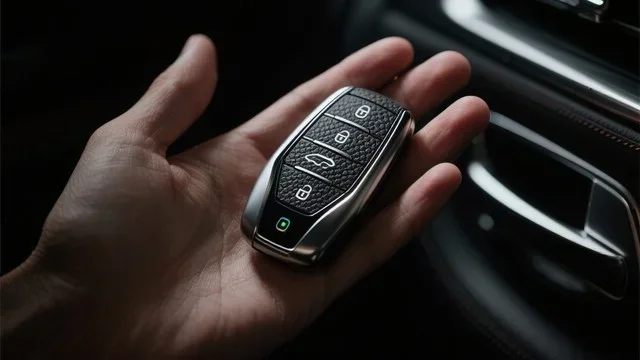
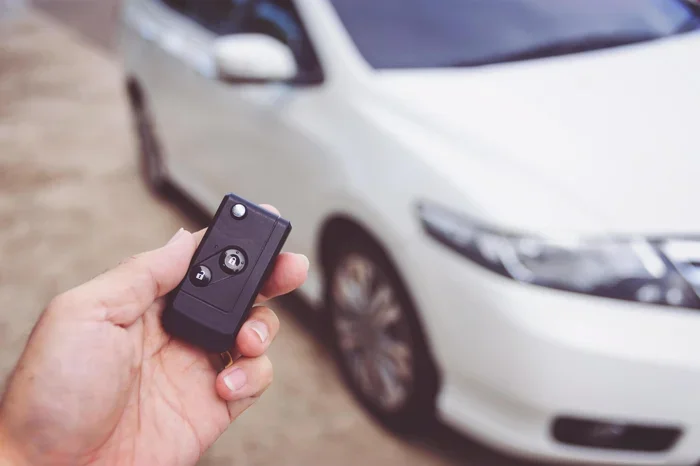
A key fob is a small remote device that talks to your car. It uses a low-frequency signal to communicate with the car lock system. When you press a button, the fob sends a coded message. Your car receives it and responds.
The Smart Key System
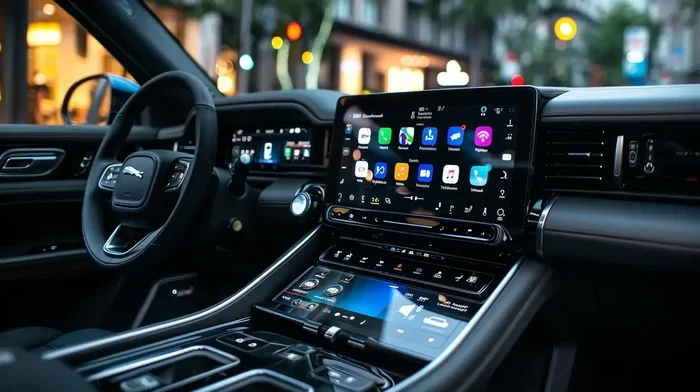
Most modern cars use a smart key system. This system lets you start the engine without inserting a physical key. The car has a proximity sensor that detects the fob is nearby. As long as the fob is inside the cabin, the ignition system will work.
The smart key uses a transponder chip. This chip sends a unique identification code. The car’s computer checks the code. If it matches, the engine starts. This car ignition process happens in seconds.
How Remote Start Fits In
Many key fobs also support remote start. This feature lets you start the car from outside. You press a button, and the engine turns on. It is especially useful in cold weather. The remote start system warms up your car before you get in.
Not all vehicles have this feature. Check your owner’s manual to see if your car supports it. Some manufacturers offer it as an add-on package.
Step-by-Step: How to Start Your Car With Your Key Fob
Starting your car with a key fob is straightforward. Follow these simple steps for a smooth vehicle startup every time.
Step 1: Get Inside the Car
Open the door using the key fob. Most cars unlock automatically when the fob is near the door handle. The proximity sensor detects the fob and releases the locks.
Once inside, sit in the driver’s seat. Make sure the key fob is with you. Place it in your pocket, purse, or on the console.
Step 2: Press the Brake Pedal
Press the brake pedal all the way down. This is a safety requirement for push button start systems. The car will not start without the brake being pressed.
Some vehicles also require the clutch pedal. If you drive a manual transmission, press the clutch all the way down.
Step 3: Press the Start Button
Locate the push button start on the dashboard. It is usually near the steering column. Press it once while keeping the brake pressed.
The dashboard lights will turn on. The engine will start within a few seconds. You should hear the engine purr to life. Release the brake pedal gently once the car is running.
Step 4: Confirm the Fob Is Recognized
Check the dashboard display. Most cars show a message confirming the key fob is recognized. You might see a green light or an icon of the fob.
If the message does not appear, the car may not detect the fob. Move the fob closer to the start button. Some cars have a fob signal reader built into the steering column.
Step 5: Drive Safely
Shift the car into drive or reverse. Release the parking brake. You are ready to go. Always check your mirrors and surroundings before moving.
Quick Tip: If the engine does not start on the first try, do not hold the button for too long. Wait a few seconds and try again. Holding it too long can drain the car battery.
What to Do When Your Car Won’t Start With the Key Fob
A car won’t start situation is frustrating. But it is usually easy to fix. Here are the most common reasons and solutions.
Dead Key Fob Battery
The most common cause is a dead key fob battery. When the battery dies, the fob cannot send its signal. The car does not recognize it, and the engine will not start.
Signs of a weak fob battery include:
- The fob works only when very close to the car.
- The remote start range gets shorter.
- The dashboard shows a fob warning light.
- The locks respond slowly or not at all.
Replacing the battery is simple and costs less than $10. We cover the replacement process in the next section.
Signal Interference
Sometimes, signal interference blocks the fob from reaching the car. This happens when the fob is near metal objects or electronic devices.
Common sources of interference include:
- Metal keys or coins in the same pocket.
- Mobile phones placed too close.
- Other key fobs from different vehicles.
- Power lines or large metal structures nearby.
Move the fob away from these objects. Try starting the car again. The fob signal should reach the car without issues.
Faulty Proximity Sensor
The proximity sensor inside the car can fail over time. If the sensor is damaged, it will not detect the smart key. This is a less common issue but still happens.
Signs of a faulty sensor include:
- The car does not recognize the fob even when it is right next to the start button.
- The warning light stays on the dashboard.
- The fob works for locks but not for starting the engine.
In this case, you may need a professional diagnosis. Visit a trusted mechanic or dealership. They can test the sensor and replace it if needed.
Car Battery Is Dead
A dead car battery will prevent startup regardless of the fob. If the dashboard lights are dim or do not turn on, the car battery may be the problem.
Try jump-starting the car with jumper cables. If the battery is old, consider replacing it. Most car batteries last 3-5 years. Regular car maintenance includes checking the battery health.
How to Replace the Key Fob Battery
Replacing the key fob battery is one of the easiest car maintenance tasks you can do yourself. Most fobs use a small coin-cell battery. Here is how to do it.
What You Need
- A replacement battery (usually CR2025 or CR2032).
- A small flat-head screwdriver or coin.
- A clean, dry workspace.
Replacement Steps
- Locate the small groove on the back of the key fob.
- Insert the screwdriver or coin into the groove.
- Gently pry the fob open. It should split into two halves.
- Remove the old battery. Note which side faces up.
- Place the new battery in the same position.
- Press the two halves back together until they click.
- Test the fob by standing near your car and pressing a button.
Quick Tip: Always buy the exact battery type listed in your owner’s manual. Using the wrong battery can damage the key fob. Most pharmacies and electronics stores carry these batteries.
After replacing the battery, start your car to confirm everything works. If the car still does not respond, try holding the fob directly against the start button. This bypasses the proximity sensor and forces a direct connection.
Tips for Keeping Your Key Fob in Top Shape
A well-maintained key fob lasts longer and works better. Follow these simple tips to keep your remote start system in great condition.
Replace the Battery Every 2-3 Years
Do not wait for the battery to die completely. Replace it proactively every 2-3 years. This prevents unexpected startup problems. Mark your calendar or set a phone reminder.
Keep the Fob Dry
Water damage can ruin the key fob electronics. Avoid dropping it in water or exposing it to heavy rain. If it gets wet, dry it off immediately.
Store the Fob Properly
Keep the fob away from strong magnetic fields. Do not place it near large speakers or magnets. Store it in a dedicated pocket or pouch.
Also, avoid stacking multiple key fobs together. They can interfere with each other’s signals. This confusion can cause car lock system errors.
Clean the Buttons Regularly
Dirt and grime can build up on the fob buttons. Use a soft, damp cloth to wipe them down. Avoid using harsh chemicals. A gentle cleaning keeps the buttons responsive.
Update the Fob Software if Needed
Some newer vehicles allow key fob programming updates. These updates can improve performance and fix bugs. Check with your dealership about available updates.
Common Mistakes People Make With Key Fobs
Even experienced drivers make mistakes with their key fobs. Avoid these common errors to keep your vehicle startup smooth and reliable.
Leaving the Fob Too Far Away
The key fob must be inside the cabin for the car to start. Some people leave it in their pocket and lean over the roof to start the car. This can confuse the proximity sensor.
Always keep the fob within arm’s reach when starting the engine. Place it in the cup holder or console if needed.
Ignoring Warning Lights
Dashboard warning lights are there for a reason. If you see a key fob or smart key warning, do not ignore it. Address the issue immediately to avoid being stranded.
Using the Wrong Battery Type
Using the wrong battery can damage the fob. Always check the owner’s manual for the correct battery type. Common types are CR2025 and CR2032, but some fobs use different sizes.
Not Having a Backup Plan
What happens if your key fob battery dies and you are away from home? Most cars have a backup method. Look for a hidden mechanical key slot in the fob or the door handle. Use the physical key to unlock the door and start the car manually.
Expert Insight: Keep a spare key fob battery in your glove box. This way, you are always prepared for a dead battery emergency. It costs almost nothing and saves a lot of hassle.
Frequently Asked Questions
Can I start my car with a dead key fob battery?
Yes, in most cases. Place the dead key fob directly against the start button. The car will read the fob through direct contact. This works as a backup method when the battery is completely dead. However, replacing the battery as soon as possible is still the best approach.
How do I know if my key fob battery needs replacing?
Watch for warning signs like reduced range, slow lock response, or a dashboard warning light. If you notice these symptoms, the key fob battery is likely low. Replacing it early prevents sudden startup failures.
Can I use any brand of battery for my key fob?
Use the exact battery type recommended by the manufacturer. The wrong voltage or size can damage the key fob or cause it to malfunction. Check your owner’s manual for the correct battery specification.
How long does a key fob battery last?
Most key fob batteries last between 2 and 4 years. The lifespan depends on how often you use the fob. Frequent use of remote start and lock features can drain the battery faster. Replace it proactively every 2-3 years to avoid surprises.
What should I do if my car still won’t start after replacing the fob battery?
First, make sure the new battery is installed correctly with the right side facing up. If the fob still does not work, try holding it directly against the start button. If that fails, the issue may be with the proximity sensor or the car battery. In that case, seek professional help from a mechanic or dealership.
Is it safe to start my car with the key fob near my phone?
Yes, it is generally safe. However, placing the fob too close to your phone or other electronics can sometimes cause signal interference. Keep the fob in a separate pocket or compartment for the best fob signal strength and reliable vehicle startup.
Conclusion
How to start your car with your key fob is a simple process once you understand the basics. Press the brake, place the fob inside the car, and hit the start button. It works like magic when everything is in order.
But problems do happen. A dead key fob battery, signal interference, or a faulty sensor can all cause startup issues. The good news is that most of these problems have easy fixes. Replace the battery, remove the source of interference, or seek professional help when needed.
Taking care of your key fob is part of good car maintenance. Replace the battery every few years, keep the fob dry, and store it properly. These small habits save you time, money, and stress.
Now you have everything you need to handle your key fob with confidence. Keep this guide handy for those moments when your car won’t start. With the right knowledge, you will always be ready to hit the road.