How to Connect a Garage Door Opener Without a Remote Easily
Losing your remote doesn’t mean you’re stuck outside. You can connect a garage door opener without a remote using the wall button, a wireless keypad, or a smart home app. This guide gives you simple, step-by-step instructions to regain control quickly and safely.
Ever lost your garage door opener remote and needed to get inside? You can still open your door with ease. This guide shows you exactly how to connect a garage door opener without a remote using simple, proven methods. Whether you have a wall button, wireless keypad, or smart home system, you’ll find clear steps here. Connecting your garage door opener without a remote is quick, safe, and something you can do in minutes.
A garage door opener is a huge convenience. It lets you enter your home hands-free. But remotes can get lost, stolen, or break. When that happens, you might think you’re locked out. The good news is that you don’t need a remote to operate your door. You can use the wall button, a keypad, or a smart app. These alternatives work with almost all modern openers. Learning how to connect a garage door opener without a remote gives you peace of mind. You’ll always have a way in, no matter what happens to your remote.
Key Takeaways
- Wall button is the simplest method: Most openers have a wall control panel you can use to open and close the door without a remote.
- Wireless keypads add convenience: Install a keypad outside your garage to enter a PIN and operate the door from anywhere.
- Smart home integration works seamlessly: Connect your opener to apps like myQ or Google Home for phone and voice control.
- Programming is quick: Follow the step-by-step guide to pair your wall button, keypad, or smart device in under 10 minutes.
- Troubleshooting is straightforward: Check power, antenna, and limit switches before calling a technician.
- Safety features never skip a beat: Your opener’s safety sensors and manual release still work even without a remote.
📑 Table of Contents
- Why You Might Need to Connect a Garage Door Opener Without a Remote
- Understanding Your Garage Door Opener System
- How to Connect a Garage Door Opener Without a Remote Using the Wall Button
- Alternative Methods: Wireless Keypad and Smart Home Integration
- Troubleshooting Common Connection Issues
- Expert Tips to Keep Your Opener Running Smoothly
Why You Might Need to Connect a Garage Door Opener Without a Remote
There are many reasons you might need to operate your garage door without the handheld remote. Remotes can vanish into thin air. They might stop working after a battery change. Sometimes a remote gets stolen and you need to reset the system. In other cases, you simply want a backup method for emergencies. Understanding these scenarios helps you choose the right connection method.
The Frustration of a Lost Remote
We’ve all been there. You’re carrying groceries and can’t find the remote. You dig through your pockets and bag. Nothing. A lost remote is a common annoyance. The good news is that your opener still works. The wall button inside your garage is always there. You can also use a wireless keypad or a smart phone. These options let you connect a garage door opener without a remote in seconds.
When the Remote Dies or Gets Stolen
A dead remote battery leaves you stranded. A stolen remote is a security risk. Someone else could have the code to your garage. In both situations, you need a reliable alternative. The wall button is the most basic backup. A wireless keypad adds a layer of security because you can change the PIN. Smart home integration lets you lock the remote feature and use your phone instead. Each method ensures you’re never locked out again.
Understanding Your Garage Door Opener System
Before you start, it helps to know the basic parts of your opener. The motor unit hangs above your garage. It connects to the rail and trolley. The trolley moves the door up and down. The wall button sends a signal to the motor unit. A wireless keypad does the same thing from outside. Smart controllers add Wi-Fi and app control. All these parts communicate through radio frequency or Wi-Fi signals.
How the Opener and Wall Controller Work
The wall control panel is a small box mounted near your garage door. It has a button and sometimes a light switch. When you press the button, it sends a radio signal to the motor unit. The motor unit receives the signal and activates the trolley. This simple process works without a remote. You can program the wall button to control the door just like a remote would. Most openers come with a wall control panel already installed.
The Role of Dip Switches and Radio Frequency
Older openers use dip switches inside the motor unit and the remote. These tiny switches set the code. When you press the remote, the signal matches the dip switch settings. Newer openers use rolling codes that change every time. You don’t need to mess with dip switches on modern units. But understanding this helps if you’re working with an older model. The wall button and keypad are wired or paired to the same motor unit.
How to Connect a Garage Door Opener Without a Remote Using the Wall Button
The wall button is the easiest and most reliable way to operate your door without a remote. It’s already wired to the motor unit in most cases. If you’ve lost your remote, just use the wall button. You can also reprogram the wall button if needed. Here’s how to do it step by step.
Locating the Wall Control Panel
Look for the wall control panel inside your garage. It’s usually mounted near the door opener motor. The panel has a single button and sometimes an LED light. It’s connected by wires to the motor unit. If you don’t see it, check near the door entry from your house. The panel is typically about 4 to 5 feet above the floor. It’s easy to spot once you know where to look.
Programming the Wall Button to the Motor Unit
Most wall buttons are pre-programmed at the factory. But if you need to pair it again, follow these steps. First, locate the “Learn” or “Smart” button on the motor unit. It’s usually near the antenna wire. Press and release the “Learn” button. The LED light on the motor unit will turn on. Next, press and hold the wall button for two seconds. Release it. The motor unit should beep or the light will blink. The wall button is now connected to the opener.
Quick Tip: If the wall button doesn’t work, check the wiring. Make sure the wires are tight on the terminal screws. A loose wire can cause a dead button. Use a voltage tester to confirm power is reaching the panel.
Testing the Connection
Once you’ve programmed the wall button, test it. Press the button once. The garage door should start to move. If it goes up, press it again to close it. The door should stop when it reaches the limit. If the door doesn’t respond, don’t worry. You can troubleshoot the issue easily. Check the power to the motor unit. Make sure the emergency release cord hasn’t been pulled. The wall button is the simplest way to connect a garage door opener without a remote and it works every time.
Alternative Methods: Wireless Keypad and Smart Home Integration
If you want more flexibility, consider a wireless keypad or smart home integration. These methods let you control the door from outside the garage. A keypad is mounted on the exterior wall. You enter a PIN to open or close the door. Smart home systems let you use your phone or voice assistant. Both options are excellent ways to connect a garage door opener without a remote.
Installing a Wireless Keypad
A wireless keypad is a small device you mount outside your garage. It runs on batteries and communicates with the motor unit via radio signal. To install it, choose a spot near the garage door entry. Use the mounting screws that come with the keypad. Then, program the keypad to your opener. Go to the motor unit and press the “Learn” button. Enter your desired PIN on the keypad and press the “Enter” button. The keypad will flash or beep to confirm pairing. Now you can open your door from anywhere outside.
Common Mistake: Don’t place the keypad too close to the wall button inside. They might interfere with each other. Keep the keypad at least a few feet away from the interior panel.
Connecting to a Smart Home App
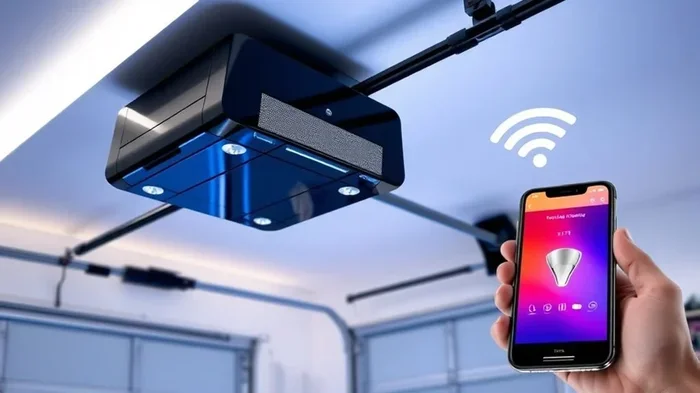
Many modern openers have Wi-Fi capabilities. Brands like Chamberlain, LiftMaster, and Genie offer smart controllers. The myQ app is a popular choice. It lets you control your door from your phone. You can also use voice commands with Google Home or Amazon Alexa. To set this up, plug the smart controller into your opener’s smart port. Download the app and follow the on-screen instructions. The app will guide you through connecting to your Wi-Fi network. Once connected, you can open and close the door from anywhere. This is one of the most convenient ways to connect a garage door opener without a remote.
Comparison Table of Connection Methods
| Method | Pros | Cons | Best For |
|---|---|---|---|
| Wall Button | Always works, no batteries, simple | Only usable inside the garage | Quick backup, basic use |
| Wireless Keypad | Works outside, PIN security, no remote needed | Requires battery changes, external installation | Families, frequent visitors |
| Smart Home App | Phone control, voice commands, remote access | Needs Wi-Fi, setup slightly more complex | Tech-savvy users, smart homes |
Each method has its strengths. The wall button is the most reliable. The wireless keypad gives you outside access. The smart app adds modern convenience. You can even use more than one method at the same time. For example, keep the wall button inside and add a keypad outside. This gives you full control without ever needing a remote.
Troubleshooting Common Connection Issues
Sometimes things don’t work right away. That’s normal. Most issues are easy to fix. Here are the most common problems and how to solve them.
Opener Doesn’t Respond to the Wall Button
If pressing the wall button does nothing, check the power first. The motor unit needs electricity. Look at the outlet the opener is plugged into. You can also check your home’s circuit breaker. A tripped breaker will cut power to the opener. Next, inspect the wall button wires. Loose connections are a frequent cause. Unplug the opener before touching any wires. Tighten the terminal screws where the wall button wires connect. If the button still doesn’t work, the button itself might be faulty. Replace it with a new one. It’s a cheap and easy fix.
Keypad Lights Flash But Door Won’t Move
A flashing keypad usually means it’s trying to pair but isn’t communicating with the motor unit. First, make sure the keypad is within range. Most keypads work up to 50 feet from the opener. Check that the batteries are fresh. Weak batteries cause signal problems. Then, try re-pairing the keypad. On the motor unit, press the “Learn” button. On the keypad, enter your PIN and press “Enter” again. If that doesn’t work, there might be interference. Other wireless devices nearby can cause this. Move the keypad to a different spot on the wall. You can also try changing the keypad’s channel if it has that option.
When to Call a Professional
Most connection issues are simple. But some problems need a trained eye. If you smell burning or see sparks, stop immediately. If the motor unit makes grinding noises, don’t force it. A broken gear or a faulty motor might be the cause. If the door won’t stay open or closes too fast, the limit switches need adjustment. These are safety features. Adjusting them incorrectly can be dangerous. In these cases, call a garage door technician. They can diagnose the issue safely and quickly.
Expert Tips to Keep Your Opener Running Smoothly
Once you’ve successfully connected a garage door opener without a remote, you’ll want to keep it working well. Regular care extends the life of your opener. It also keeps your garage safe. Here are some expert tips to follow.
Regular Maintenance Checks
Inspect your opener once a month. Look at the wall button and keypad wires. Make sure they’re snug and not frayed. Test the wall button every time you clean the garage. Clean the photo-eye sensors with a soft cloth. Dirty sensors can cause the door to reverse or not close. Lubricate the moving parts with a garage door spray. This keeps the door running smoothly and quietly.
Battery Backup and Safety Sensor Tips
Many openers have a battery backup. This keeps the door working during a power outage. Check the backup battery every six months and replace it if needed. Your safety sensors are critical. They prevent the door from closing on people or cars. Make sure the sensors are aligned and clean. Never disconnect them to force the door to close. If the door doesn’t reverse when you place a roll of paper towels on the floor, adjust the sensors. Safety should always come first.
In conclusion, knowing how to connect a garage door opener without a remote is a valuable skill. You’re never truly stuck without a remote. The wall button, wireless keypad, and smart app all provide reliable alternatives. Each method is easy to set up and use. With a little troubleshooting, you can keep your door working perfectly. Take a few minutes today to test your wall button or install a keypad. You’ll be glad you did the next time you can’t find your remote.
Frequently Asked Questions
Can I connect a garage door opener without a remote using just the wall button?
Yes, the wall button is the most basic and reliable way to operate your opener. It’s already wired to the motor unit in most garages. Simply press the wall button to open or close the door. If you’ve lost your remote, the wall button is your best backup method.
How do I install a wireless keypad to replace my lost remote?
Mount the keypad outside your garage near the door entry. Then, press the “Learn” button on the motor unit. Enter your desired PIN on the keypad and press “Enter.” The keypad will pair with the opener. You can now use the PIN to control the door from outside without a remote.
What should I do if my smart home app won’t connect to the opener?
First, make sure your opener’s smart controller is plugged into the smart port. Check that your Wi-Fi network is working and that the app is up to date. Restart the app and try pairing again. If the issue persists, reset the smart controller and follow the setup steps in the app. Most connection problems are solved with a simple reboot.
Is it safe to use a garage door opener without a remote?
Absolutely. The safety sensors and auto-reverse features work the same way with any control method. Whether you use a wall button, keypad, or smart app, your door will stop and reverse if it detects an obstacle. You’re just as safe as you would be with a remote.
How long does it take to connect a garage door opener without a remote?
Most people can complete the setup in under 15 minutes. Programming the wall button takes just a few minutes. Installing a wireless keypad might take a little longer, but it’s still a quick DIY job. Smart home setup can take 10 to 20 minutes depending on your Wi-Fi network.
Do I need any special tools to connect a garage door opener without a remote?
No special tools are needed. You may need a screwdriver to tighten wires on the wall button or keypad. A ladder helps you reach the motor unit safely. A voltage tester is optional but useful for checking electrical connections. Most of the process is simple and tool-free.