How Long Does a Hyundai Software Update Take to Finish
A Hyundai software update typically takes between 15 minutes and 2 hours, depending on the update type, your connection speed, and the model you drive. Over-the-air updates are faster and can happen overnight, while dealership-installed updates may take longer due to additional checks and diagnostics.
If you own a Hyundai, you have probably seen that little notification pop up on your screen saying a software update is available. And the first thing that probably crosses your mind is, “How long is this going to take?” You are not alone. Hyundai software update times vary quite a bit, and understanding what affects the duration can save you a lot of frustration and wasted time.
Whether you are doing a quick OTA update at home or heading to a Hyundai dealership for a more involved installation, the time commitment can range from under 20 minutes to a few hours. In this guide, we break down everything you need to know about software update duration, what slows things down, and how to make the process as smooth as possible.
Hyundai has come a long way with its car technology update capabilities. Many newer models support wireless downloads right to your vehicle. This means you can update your infotainment system, safety features, and even driving assist functions without lifting a finger. But knowing how long each type of update takes helps you plan your day better and avoid surprises.
Key Takeaways
- OTA updates are quick: Most over-the-air Hyundai software updates finish in 15 to 45 minutes if your Wi-Fi connection is strong.
- Dealership updates take longer: Visiting a service center can add 1 to 3 hours, including inspection and testing time.
- Internet speed matters: A slow connection is the #1 reason updates take longer than expected.
- Do not interrupt the process: Turning off the car or disconnecting mid-update can cause serious software issues.
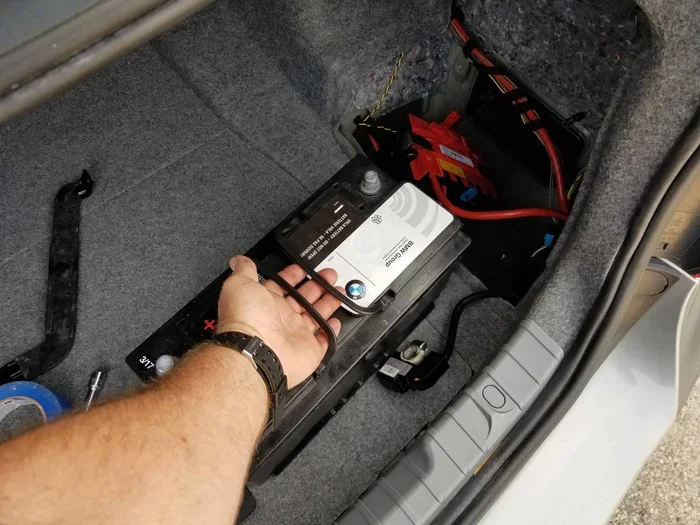
- Keep your car plugged in: Ensure your battery is fully charged or the car is connected to power during any update.
- Check for updates regularly: Setting a monthly reminder helps you stay current with the latest features and security patches.
📑 Table of Contents
- What Is a Hyundai Software Update?
- How Long Does a Hyundai Software Update Take at Home?
- How Long Does a Hyundai Software Update Take at a Dealership?
- Can You Speed Up a Hyundai Software Update?
- Common Problems During Hyundai Software Updates
- How Often Should You Update Your Hyundai Software?
- What Happens If You Skip a Software Update?
- Final Thoughts
What Is a Hyundai Software Update?
A Hyundai software update is essentially a digital patch or upgrade sent to your vehicle’s computer systems. These updates can fix bugs, improve performance, add new features, and patch security vulnerabilities. Think of it like updating the apps on your phone, except the “phone” is your car.
Hyundai uses a system called Blue Link in many of its newer models. This connected car platform allows your vehicle to communicate with Hyundai servers and receive updates over the air. Some updates are small and quick, while others are large and more involved. Understanding the type of update you are getting is the first step in knowing how long it will take.
Types of Hyundai Software Updates
Not all updates are created equal. Here are the main types you might encounter:
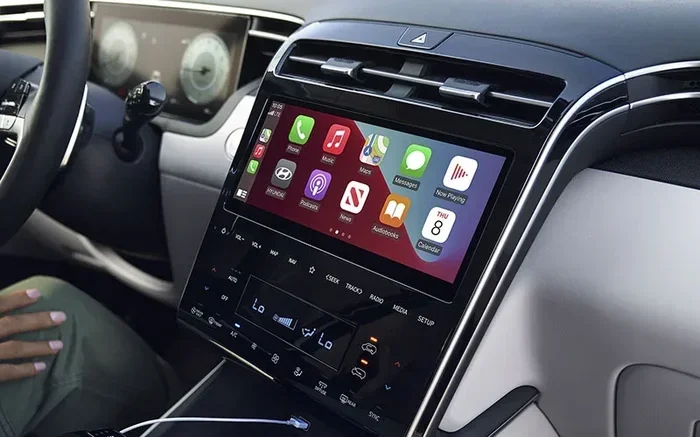
- Infotainment Updates: These update your touchscreen system, navigation maps, and audio features. They usually take the least amount of time.
- Security Patches: These fix vulnerabilities in your car’s connected systems. They are typically small and quick to install.
- System Firmware Updates: These are bigger updates that can affect multiple systems at once. They take longer and require more stable power.
- Driving Assist Updates: These improve features like adaptive cruise control, lane keeping assist, and automatic emergency braking.
- TCU Updates: The Telematics Control Unit manages your car’s connectivity. Updates here can improve Bluetooth, Wi-Fi hotspot, and app performance.
How Long Does a Hyundai Software Update Take at Home?
If you are doing an OTA update at home, the time can vary quite a bit. Most Hyundai system update processes take somewhere between 15 and 45 minutes. But several factors can push that time longer or shorter.
Factors That Affect Update Time at Home
Here is what plays a role in how long your update takes when done at home:
- Internet Speed: A fast Wi-Fi connection means a quicker download. A slow connection can stretch the download phase significantly.
- Update Size: A small security patch might be only a few megabytes. A full infotainment overhaul could be several gigabytes.
- Car Battery Level: Your car needs enough charge to complete the update. If the battery is low, the system may wait until it is sufficiently charged, adding to the total time.
- Model Year: Newer Hyundai models with faster processors can install updates more quickly than older models.
- Number of Updates: Sometimes multiple updates are available at once. Installing them all together takes longer than a single update.
The good news is that most Hyundai software updates are designed to be hands-off. You can start the update and go about your business. Just make sure your car is parked in a safe, stationary location with a stable connection.
How Long Does a Hyundai Software Update Take at a Dealership?
When you take your car to a Hyundai dealership for a software update, the process is different. Dealership updates often involve more than just downloading and installing software. They include diagnostic checks, system verifications, and sometimes physical connections to specialized equipment.
On average, a dealership software update takes between 1 and 3 hours. Here is why it takes longer than an OTA update:
- Pre-Update Diagnostics: Technicians run checks to make sure your car is ready for the update.
- Physical Connection: Some updates still require a direct cable connection to the vehicle’s computer port.
- Post-Update Testing: After installation, the technician tests various systems to confirm everything works properly.
- Additional Services: Dealerships often combine software updates with routine maintenance, which adds to the total visit time.
If you are wondering whether you can take your Hyundai to any dealership for this kind of work, the answer is generally yes. Hyundai dealerships have the tools and training needed for these updates. However, if you are curious about taking your vehicle to a non-Hyundai shop, it is worth checking with your dealer first.
Can You Take Your Hyundai to Any Dealership for Service?
This is a common question among Hyundai owners. While Hyundai dealerships are the most equipped for software updates, some independent shops may also be able to handle certain updates. However, for the most reliable and complete update experience, sticking with an authorized Hyundai service center is your best bet. You can read more about dealership service options in our guide on taking your vehicle to different service centers.
Can You Speed Up a Hyundai Software Update?
Nobody wants to wait around for a car update. Fortunately, there are some things you can do to speed up the process and avoid common delays.
Tips to Reduce Update Time
- Connect to a Strong Wi-Fi Network: Before starting the update, make sure your home Wi-Fi signal is strong in the area where you park your car. A weak signal will slow down the download phase considerably.
- Charge Your Battery Fully: A fully charged battery ensures the update does not pause midway to protect the car’s power systems.
- Park in a Cool, Shaded Area: Extreme temperatures can affect your car’s computer performance. A moderate temperature helps the system run efficiently.
- Close Other Apps on the Infotainment System: If your car’s system is running other processes, the update may take longer to install. Closing unnecessary apps frees up resources.
- Check for Updates During Off-Peak Hours: Some updates are released during high-traffic times on Hyundai’s servers. Scheduling your update during off-peak hours can result in faster download speeds.
One of the most important things to remember is to never interrupt the update. Turning off the car, disconnecting the battery, or walking away before the process completes can lead to software corruption. If that happens, you may need a professional to fix it, which adds even more time to the process.
Common Problems During Hyundai Software Updates
Even when you follow all the right steps, things can sometimes go wrong. Here are some common issues and what to do about them.
Update Stuck on Downloading
If your Hyundai software update seems stuck on the downloading screen, the first thing to check is your Wi-Fi connection. Try moving your car closer to your router or restarting your home network. In most cases, a simple connection reset gets things moving again.
Update Failed Mid-Installation
This is the scariest scenario. If an update fails during installation, do not panic. Turn the car off completely, wait a few minutes, and restart the process. If the problem persists, contact your Hyundai dealership for assistance. They have tools to recover from failed updates safely.
Update Takes Much Longer Than Expected
Sometimes an update that should take 20 minutes stretches to an hour or more. This can happen if the update file is larger than expected or if your car’s system is running background checks. As long as the progress bar is moving, it is usually best to just let it run.
Car Won’t Start After Update
In rare cases, a car may not restart immediately after a software update. This is usually temporary. Wait 10 to 15 minutes with the car in the “on” position. If it still does not start, contact roadside assistance or visit your nearest dealership. For more information on related car issues, check out our article on how to handle common car software problems.
How Often Should You Update Your Hyundai Software?
Hyundai releases updates on a rolling basis. Some months there are multiple updates, and other months there may be none. The best practice is to check for updates at least once a month. You can do this through your car’s infotainment system or the Hyundai Blue Link app on your phone.
Regular updates keep your car running smoothly and securely. They also ensure you have access to the latest features and improvements that Hyundai rolls out. Think of it as routine maintenance for your car’s digital brain.
Quick Tips for Staying on Top of Updates
- Set a monthly reminder on your phone to check for updates.
- Enable automatic update notifications if your car supports them.
- Read the update notes before installing to understand what changes are being made.
- Keep your car plugged in or fully charged before starting any update.
- When in doubt, visit your local Hyundai dealership for help.
Some owners wonder whether they can take their Hyundai to any dealership for warranty-related updates and services. The answer is generally yes, but it is always best to confirm with your specific dealer beforehand. You can also check our article on dealership service options for more details.
What Happens If You Skip a Software Update?
It might be tempting to ignore that update notification, especially if your car seems to be running fine. But skipping updates can leave you vulnerable. Software updates often include critical security patches that protect your car from potential threats. They also fix bugs that could affect performance or safety features.
Over time, skipping updates can lead to your system falling behind. This can make future updates larger and more time-consuming because your car will need to download multiple versions at once. Staying current is always the easier path.
The Cost of Ignoring Updates
Ignoring updates can also affect your car insurance in indirect ways. For example, if a software bug causes an accident and your car’s safety features were not functioning properly due to an outdated system, it could complicate an insurance claim. Keeping your software up to date is a small step that protects both your car and your wallet.
Similarly, if your car is ever broken into or damaged while parked, having up-to-date software can sometimes be relevant to your claim. Understanding what your policy covers is always smart. You can learn more about insurance coverage scenarios in our articles on hit and run incidents and car break-ins.
Final Thoughts
The Hyundai software update time depends on several factors, but most updates are quick and straightforward. Whether you are doing an OTA update at home or visiting a dealership, planning ahead and following best practices will make the process as painless as possible. The key is to stay patient, keep your car connected to power, and never interrupt the process.
Updating your Hyundai’s software is one of the simplest ways to keep your car safe, secure, and running at its best. With new features and improvements rolling out regularly, staying current ensures you get the most out of your vehicle. So the next time that update notification pops up, do not ignore it. Your car will thank you for it.
Remember, if you ever run into issues or have questions about the update process, your local Hyundai dealership is always a great resource. They can walk you through the process step by step and make sure everything goes smoothly.
Frequently Asked Questions
Can I drive my Hyundai while the software update is installing?
No, you should never drive your Hyundai while a software update is being installed. The car needs to be completely stationary and parked in a safe location. Driving during an update can cause serious damage to the software and potentially affect safety systems. Always wait until the update is fully complete and the system has restarted before driving.
Do Hyundai software updates cost money?
Most Hyundai software updates are free of charge, especially for vehicles that are still under warranty. Some updates may require a visit to the dealership, but the update itself typically does not come with a fee. However, if your car is out of warranty, certain services related to the update might incur a labor charge at the dealership.
What should I do if my Hyundai software update fails?
If your update fails, do not panic. First, try restarting the car and attempting the update again. If the problem persists, check your internet connection and battery level. You can also contact your Hyundai dealership for professional assistance. They have specialized tools to diagnose and resolve update failures safely.
How do I know if my Hyundai needs a software update?
Your Hyundai will typically notify you through the infotainment system when an update is available. You can also check manually through the settings menu on your touchscreen. Additionally, the Hyundai Blue Link app on your phone can send you notifications about available updates and maintenance reminders.
Can a Hyundai software update improve fuel efficiency?
Yes, in some cases. Software updates can optimize engine management systems, improve transmission shifting patterns, and enhance overall vehicle performance. While the improvement may be subtle, many owners report noticeable gains in fuel efficiency after installing the latest updates. Keeping your software current is a simple way to get the most out of every tank of gas.
Is it safe to update Hyundai software overnight?
Yes, it is generally safe to start an OTA update overnight. In fact, many Hyundai owners prefer to do this because it saves time during the day. Just make sure your car is parked in a secure location, connected to a strong Wi-Fi network, and has sufficient battery charge. The system is designed to handle overnight updates without any issues.