How Do I Reset My Chrysler Pacifica Screen for Good
Resetting your Chrysler Pacifica screen is easier than you think and can solve most frozen or glitchy display problems in minutes. Whether you need a quick soft reset or a full factory reset, this guide covers every method with clear, simple steps. We also share tips to prevent screen issues and explain when professional help is the right move.
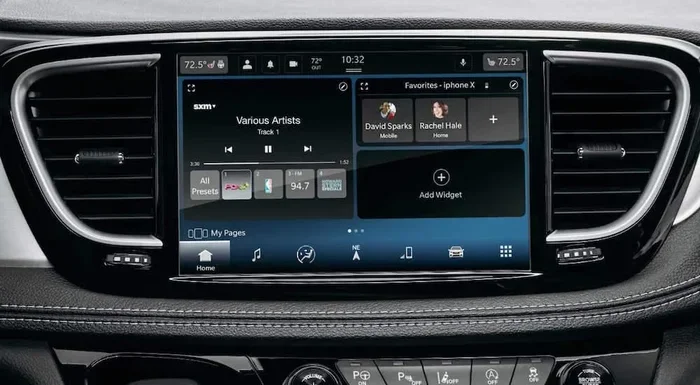
Have you ever been driving your Chrysler Pacifica and suddenly the screen goes black or freezes mid-navigation? It is frustrating, right? You are not alone. Many Pacifica owners face this exact problem at some point. The good news is that resetting your Chrysler Pacifica screen is something you can do at home without a mechanic.
In this guide, we walk you through every method step by step. From a simple soft reset to a full factory reset, we cover it all. You will learn why screens freeze, how to fix them fast, and what you can do to stop the problem from coming back. Whether your screen is flickering, black, or just acting weird, this article has the answer you need.
We keep things simple and practical. No jargon, no confusing tech talk. Just clear instructions that anyone can follow. Let us get your Pacifica screen working perfectly again.
Key Takeaways
- Soft reset: A simple restart that fixes most minor screen glitches without losing any data.
- Hard reset: A deeper reset that clears the system cache and resolves stubborn display problems.
- Factory reset: The last resort that restores all settings to original defaults.
- Prevention tips: Regular maintenance keeps your Pacifica screen running smoothly for years.
- Know when to call a pro: Some screen issues need a certified technician, not a DIY fix.
- Quick fixes: Several fast solutions work for common problems like frozen screens or black displays.
📑 Table of Contents
- Why Your Chrysler Pacifica Screen Might Need a Reset
- How to Soft Reset Your Chrysler Pacifica Screen
- How to Perform a Hard Reset on Your Pacifica Screen
- Common Problems That Require a Screen Reset
- Tips to Keep Your Pacifica Screen Running Smoothly
- When to Seek Professional Help for Screen Issues
- Final Thoughts on Resetting Your Chrysler Pacifica Screen
Why Your Chrysler Pacifica Screen Might Need a Reset
Before we dive into the how, let us talk about the why. Understanding what causes screen problems helps you fix them faster and prevent them in the future. Your Pacifica’s infotainment system is essentially a small computer. Like any computer, it can run into glitches.
Common Reasons Pacifica Screens Act Up
Several things can cause your screen to misbehave. Here are the most common culprits:
- Software glitches: Just like your phone, the system can have bugs that cause it to freeze or restart randomly.
- Overheating: Hot weather or prolonged use can cause the screen to slow down or shut off unexpectedly.
- Outdated software: If your system has not been updated in a while, it may start acting strange.
- Memory overload: Too many apps running at once can bog down the system and cause it to hang.
- Loose connections: Sometimes the internal wiring behind the screen gets loose, especially after rough driving.
- Battery issues: A weak car battery can cause power fluctuations that affect the screen’s performance.
Most of these issues can be resolved with a simple reset. Knowing which type of reset to use is the key to getting the job done right.
How to Soft Reset Your Chrysler Pacifica Screen
A soft reset is the first thing you should try. It is like restarting your phone. It does not delete anything and takes only a few minutes. This method works for most minor screen issues like freezing, lagging, or a blank display.
Step-by-Step Soft Reset Instructions
Follow these steps carefully to soft reset your Pacifica screen:
- Turn off the engine. Make sure your Pacifica is completely powered down. Put it in park and remove the key from the ignition.
- Open the driver’s door. This helps trigger the system’s power-down sequence properly.
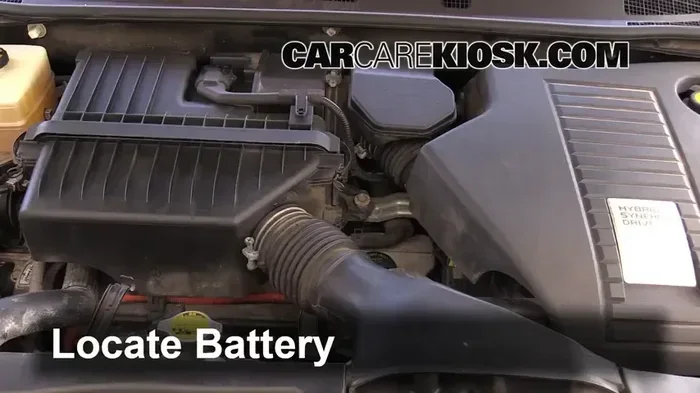
- Disconnect the negative battery terminal. Use a wrench to loosen the black cable on your car battery. Pull it off the terminal gently.
- Wait for at least 15 minutes. This gives the system time to fully discharge and reset its memory.
- Reconnect the battery terminal. Place the black cable back on the terminal and tighten it securely.
- Start the engine. Turn the key or press the start button. Your screen should reboot automatically.
- Check the display. Wait about 30 seconds for the system to fully load. Test the touchscreen and navigation features.
If the soft reset works, you are all set. If the screen still has problems, move on to the next method. Do not worry — we have more solutions below.
Quick Tip: If you are short on time, you can also try holding the power button on the screen for 10 to 15 seconds. This forces a quick restart without disconnecting the battery. It is the fastest way to reset my Chrysler Pacifica screen for minor glitches.
How to Perform a Hard Reset on Your Pacifica Screen
A hard reset goes deeper than a soft reset. It clears the system cache and forces the infotainment unit to reload its core software. Use this method when a soft reset does not fix the problem. A hard reset is safe and will not delete your personal data, but it may reset your radio presets and Bluetooth pairings.
When Should You Do a Hard Reset?
You should try a hard reset when:
- The screen stays frozen even after a soft reset.
- The display shows strange lines or patterns.
- The touchscreen stops responding to your taps.
- The system takes forever to start up.
- Navigation apps crash frequently.
Step-by-Step Hard Reset Guide
- Turn off the vehicle completely. Remove the key from the ignition and make sure all doors are closed.
- Locate the fuse box. In most Pacifica models, the interior fuse box is under the dashboard on the driver’s side.
- Find the infotainment fuse. Check your owner’s manual for the exact fuse number. It is usually labeled “Radio” or “Infotainment.”
- Remove the fuse carefully. Use the fuse puller tool that came with your vehicle. Pull it straight out.
- Wait for 10 minutes. This allows the system capacitors to fully discharge.
- Reinsert the fuse. Push it back in firmly until it clicks into place.
- Start the engine. The screen should power on and go through a full reboot cycle.
This method is more involved than a soft reset, but it resolves most persistent screen issues. If your screen still misbehaves after a hard reset, the problem may be deeper, and we will cover that below.
What If the Hard Reset Does Not Work?
Sometimes a hard reset is not enough. If your screen still shows problems after following all the steps, the issue might be hardware-related. In these cases, you may need to look at deeper troubleshooting or consider a factory reset. Do not panic — there are still things you can try before taking it to a dealer.
Common Problems That Require a Screen Reset
Not all screen problems look the same, and each one might need a different approach. Here are the most common issues Pacifica owners face and how a reset can help.
Frozen or Unresponsive Screen
A frozen screen is the number one reason people look up how to reset my Chrysler Pacifica screen. When the touchscreen stops responding, you cannot access navigation, music, or climate controls. A soft reset usually fixes this within minutes. If the screen freezes often, it might be a sign of a software update that is needed or a memory issue.
Black Screen or No Display
A black screen can be scary, but it is often just a power issue. The system might have gone into sleep mode and cannot wake up. Try holding the power button for 15 seconds first. If that does not work, a soft reset should bring the screen back to life. Check your battery too — a weak battery can cause a completely black display.
Screen Flickering or Glitching
If your screen flickers or shows random colors, the problem is likely software-related. A hard reset clears corrupted temporary files that can cause these visual glitches. If flickering continues after a reset, there could be a loose connection behind the display unit.
Slow Performance and Lag
Over time, your Pacifica’s screen can start to feel sluggish. Apps take longer to load, and touch responses feel delayed. This usually happens when the system cache gets too full. A hard reset clears this cache and gives your screen a speed boost. Think of it like cleaning up your computer’s hard drive.
Navigation and Bluetooth Issues
Sometimes the problem is not with the screen itself but with specific functions like navigation or Bluetooth. If Google Maps or your music app stops working, a reset can clear the connection errors. Keep in mind that after a reset, you may need to pair your phone again and re-enter your navigation preferences.
Tips to Keep Your Pacifica Screen Running Smoothly
Prevention is always better than cure. Once you get your screen working again, you want to keep it that way. Here are some simple habits that go a long way.
Regular Software Updates
Chrysler releases software updates for the Pacifica infotainment system. These updates fix bugs, improve performance, and add new features. Check for updates regularly through the system settings. Keeping your software up to date is one of the best ways to avoid screen problems.
Manage Your Apps and Storage
Your Pacifica’s screen is essentially a tablet built into your car. Just like a tablet, it can slow down if you have too many apps or files taking up space. Delete apps you no longer use and clear out old navigation data. This keeps the system running fast and responsive.
Protect the Screen from Heat
Excessive heat is bad for any electronic screen. In the summer, try to park in the shade or use a windshield sunshade. Heat damage can shorten the life of your screen and cause it to malfunction over time. If you notice the screen getting hot to the touch, turn it off for a few minutes to let it cool down.
Clean the Screen Properly
Dust and grime can build up on your screen and affect its responsiveness. Use a soft microfiber cloth to gently wipe the display. Avoid harsh chemicals or abrasive cleaners. A clean screen not only looks better but also responds more accurately to your touch.
Avoid Overloading the System
Running too many apps at once can strain the system. Close apps you are not using and avoid plugging in too many USB devices at the same time. Give your Pacifica’s infotainment system room to breathe and it will perform much better.
When to Seek Professional Help for Screen Issues
Most screen problems can be fixed with a reset at home. But some issues need a professional touch. Knowing when to call for help saves you time and prevents further damage.
Signs You Need a Technician
Watch for these warning signs that point to a deeper problem:
- The screen stays completely black even after multiple resets.
- You notice a burning smell or see smoke from the display unit.
- The screen has physical damage like cracks or water damage.
- Resetting the system does not fix the problem after three or more tries.
- The screen works intermittently, turning on and off randomly.
What to Expect at the Dealership
If you need to take your Pacifica to a dealer, they will run diagnostics on the infotainment system. They can check for software issues, hardware failures, and wiring problems. The cost of repair varies depending on the problem. A simple software fix might be free under warranty, while a hardware replacement could cost a few hundred dollars. Always check your warranty coverage before paying for any repairs.
Dealers also have access to specialized tools and software that are not available to the average car owner. If your screen problem is complex, a professional diagnosis is the fastest path to a solution.
Final Thoughts on Resetting Your Chrysler Pacifica Screen
Resetting your Chrysler Pacifica screen is a skill every owner should know. Whether you choose a soft reset, a hard reset, or a factory reset, the process is straightforward and usually solves the problem. Start with the simplest method and work your way up if needed.
Remember to keep your software updated, manage your apps, and protect your screen from heat. These simple habits prevent most screen issues before they start. And if a reset does not work, do not hesitate to seek professional help. Your Pacifica’s screen is an important part of your driving experience, and keeping it in top shape makes every trip more enjoyable.
Take a few minutes to try these steps today. A working screen means better navigation, smoother music, and a more pleasant drive every time you get behind the wheel. Your Pacifica deserves to run at its best, and now you have the tools to make that happen.
For more tips on maintaining your vehicle’s tech systems, check out how to use Google Maps in your Toyota for seamless navigation. Also, understanding your car’s reset needs goes beyond just screens — learn whether you need to reset after an oil change to keep your vehicle running smoothly. And if you want to protect your car’s interior and exterior, explore how to protect your car paint from damage.
Frequently Asked Questions
How long does it take to reset a Chrysler Pacifica screen?
A soft reset takes about 5 to 10 minutes including the wait time. A hard reset may take 15 to 20 minutes. A factory reset takes the longest, usually around 30 minutes, because the system needs to reload all settings from scratch.
Will resetting my Pacifica screen delete my saved data?
A soft reset keeps all your data safe. A hard reset may clear radio presets and Bluetooth pairings. A factory reset deletes everything including saved addresses, preferences, and paired devices. Always back up important data before a factory reset.
How often should I reset my Chrysler Pacifica screen?
You should not need to reset your screen regularly. Only reset when you experience problems like freezing, flickering, or unresponsive touch. Resetting too often can actually cause more issues. If your screen problems are frequent, see a professional.
Can I reset my Pacifica screen while driving?
No, you should never reset your screen while driving. Always pull over to a safe location and turn off the engine before attempting any reset. Safety comes first. Taking your eyes off the road to reset a screen is dangerous.
What should I do if the screen still does not work after a reset?
If a reset does not fix the problem, try it one more time to make sure you followed all the steps correctly. If the issue persists, the problem may be hardware-related. Visit your Chrysler dealer for a professional diagnosis. They have tools to identify the exact cause.
Is there a difference between a soft reset and a factory reset?
Yes, there is a big difference. A soft reset simply restarts the system without touching any data. A factory reset wipes everything and restores the system to its original out-of-the-box settings. Always try a soft reset first before considering a factory reset.