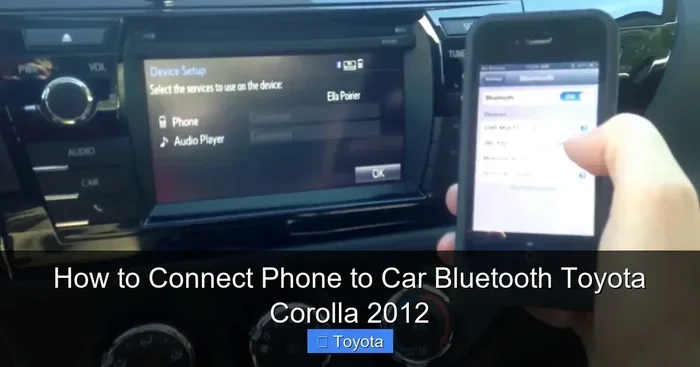
How Do I Delete My Phone from My Toyota Bluetooth
Removing your phone from Toyota Bluetooth is quick and easy when you follow the right steps. This guide shows you exactly how to delete, unpair, and reset your Toyota Bluetooth connection for any model. You will also learn how to fix common Bluetooth problems and pair a new device afterward.
Your Toyota Bluetooth connection keeps your phone linked to the car’s audio system. But there are times when you need to delete a phone from Toyota Bluetooth. Maybe you sold the car, bought a new phone, or just want a clean slate. Whatever the reason, removing a paired device is simple. This guide walks you through every step clearly and easily.
Toyota vehicles use an infotainment system that manages all Bluetooth connections. The system stores paired devices so you can reconnect quickly. But sometimes you need to remove a device. This could be because the phone is no longer yours, or the connection is causing problems. Knowing how to delete a phone from Toyota Bluetooth saves you time and frustration.
In this article, we cover everything you need to know. We explain the step-by-step process for different Toyota models. We also share tips for fixing common Bluetooth issues. By the end, you will feel confident managing your Toyota Bluetooth connections. Let us get started.
Key Takeaways
- Simple Steps: Deleting a phone from Toyota Bluetooth takes just a few minutes using the infotainment screen.
- Multiple Methods: You can delete a device from the Bluetooth settings menu or reset the entire Toyota Bluetooth system.
- Model Differences: The process varies slightly depending on your Toyota model and year.
- Re-Pairing Is Easy: After deleting a phone, you can quickly pair a new or the same device again.
- Troubleshooting Tips: We include fixes for common Bluetooth problems like connection drops and audio issues.
📑 Table of Contents
- Why You Might Need to Delete a Phone from Toyota Bluetooth
- How to Delete a Phone from Toyota Bluetooth: Step by Step
- Toyota Bluetooth Deletion Process by Model
- How to Re-Pair Your Phone After Deletion
- Common Toyota Bluetooth Problems and Fixes
- Expert Tips for Managing Toyota Bluetooth
- Can You Delete a Phone Remotely from Toyota Bluetooth?
- What Happens When You Delete a Phone from Toyota Bluetooth
- Final Thoughts
Why You Might Need to Delete a Phone from Toyota Bluetooth
There are several reasons why you would want to remove a phone from your Toyota Bluetooth. Understanding these reasons helps you know what to expect during the process.
You Sold or Gave Away Your Car
If you sold your Toyota, you should delete all paired phones. This protects your personal data. The next owner will want a clean Bluetooth system. Deleting your phone from Toyota Bluetooth before selling ensures a smooth handover.
You Got a New Phone
Switching to a new phone means you need to pair it fresh. Removing the old phone first makes the new pairing cleaner. Your Toyota Bluetooth will work better with fewer devices stored in memory.
Bluetooth Connection Problems
Sometimes Bluetooth acts up. The audio cuts out. Calls drop. The phone fails to connect. Deleting and re-pairing the device often fixes these issues. It clears the connection cache and forces a fresh link between the phone and car.
Multiple Users Sharing the Car
Families often share one Toyota. Each person wants their own phone connected. Deleting old connections keeps the Bluetooth list organized. Everyone gets a clean pairing experience.
How to Delete a Phone from Toyota Bluetooth: Step by Step
The general process works across most Toyota models. However, the exact menu names may vary slightly. Let us walk through the standard method first.
Method 1: Delete from Bluetooth Settings Menu
This is the most common way to remove a paired phone. Follow these steps carefully:
- Start the car. Press the power button. Make sure the engine is running or the car is in accessory mode.
- Go to the home screen. Tap the home button on the infotainment display.
- Open Settings. Look for the gear icon. Tap it to enter the settings menu.
- Select Bluetooth. Find the Bluetooth option in the settings list. Tap to open it.
- Find the paired device. You will see a list of all connected and previously connected phones.
- Tap on the phone you want to delete. A menu will appear with options.
- Select Delete or Forget Device. The system will ask for confirmation.
- Confirm the deletion. Tap yes or confirm. The phone is now removed from Toyota Bluetooth.
That is it. The phone is no longer paired. You can now pair a new device or reconnect a different one. Deleting a phone from Toyota Bluetooth does not erase anything from the phone itself. It only removes the car’s memory of that device.
Method 2: Delete All Paired Devices at Once
Some Toyota models let you clear all Bluetooth connections at once. This is useful if you want a complete reset. Here is how:
- Go to the Bluetooth settings menu.
- Look for an option called “Delete All Devices” or “Clear Pairing List.”
- Tap it and confirm.
- The system removes every paired phone at once.
This method works well when preparing a car for sale. It gives the next owner a completely fresh start. Resetting Toyota Bluetooth this way is fast and effective.
Method 3: Reset the Infotainment System
If the Bluetooth menu is not working, you can try a full infotainment reset. This clears all stored data including Bluetooth pairings. Here is how:
- Turn off the car.
- Hold down the power button on the infotainment screen for 10 to 15 seconds.
- The screen will go dark and then restart.
- Once it boots back up, go to Bluetooth settings.
- The paired device list should now be cleared.
Resetting the infotainment system is a more drastic step. Use it only if the other methods do not work. It will also erase your radio presets and navigation favorites. So be careful.
Toyota Bluetooth Deletion Process by Model
Different Toyota models have slightly different menus. Here are some common Toyota models and their specific steps.
| Toyota Model | Bluetooth Menu Path | Delete Option |
|---|---|---|
| Toyota Camry | Settings > Bluetooth > Device List | Delete Device |
| Toyota RAV4 | Settings > Bluetooth > Paired Devices | Forget Device |
| Toyota Corolla | Settings > Bluetooth > Connected Devices | Remove |
| Toyota Highlander | Settings > Bluetooth > Device Management | Delete |
| Toyota Tacoma | Settings > Bluetooth > Pairing | Unpair |
| Toyota Prius | Settings > Bluetooth > Registered Devices | Delete Registration |
As you can see, the menu names vary a bit. But the general path is the same: Settings > Bluetooth > find the device > delete it. If you cannot find the exact option, look for words like “remove,” “forget,” “unpair,” or “delete.”
How to Re-Pair Your Phone After Deletion
Once you have deleted the old phone, you can pair a new one. This process is just as easy. Here is how to do it:
- Turn on Bluetooth on your phone. Go to your phone settings and enable Bluetooth.
- Put the car in pairing mode. On the Toyota infotainment screen, select “Add New Device” or “Pair New Phone.”
- Wait for the car to appear on your phone. Your phone will scan for available devices.
- Tap the Toyota name on your phone. A pairing code will appear on both screens.
- Confirm the code. Make sure the codes match. Then tap pair or confirm.
- Test the connection. Play music or make a call to verify the link works.
If you want to learn more about putting your phone in pairing mode, check out our guide on how to put a phone in pairing mode. It covers the process in detail for all phone types.
Re-pairing your phone to Toyota Bluetooth should take less than two minutes. The car remembers the connection, so future connections are automatic.
Common Toyota Bluetooth Problems and Fixes
Sometimes deleting and re-pairing does not solve everything. Here are common Bluetooth issues and how to fix them.
Bluetooth Will Not Connect
If your phone will not connect to Toyota Bluetooth, try these steps:
- Turn Bluetooth off and back on from your phone.
- Restart the Toyota infotainment system.
- Delete the device and re-pair it.
- Make sure your phone is within 10 feet of the car.
- Check that the car is not connected to another phone.
Audio Cuts Out During Calls
If the audio drops during phone calls, the Bluetooth signal may be weak. Try moving the phone closer to the car. Also check if any other devices are interfering. Deleting and re-pairing often fixes this problem too.
Music Does Not Play Through Car Speakers
Sometimes the phone connects but music does not play. Check the audio source on the Toyota screen. Make sure it is set to Bluetooth Audio, not radio or USB. If that does not work, delete the device and pair it again.
Phone Does Not Show Up on the Car Screen
If your phone does not appear in the Toyota Bluetooth device list, try this:
- Make sure the phone is visible and discoverable.
- Turn off the car and wait 30 seconds. Then turn it back on.
- Clear the Bluetooth cache on your phone.
- Restart both the phone and the car infotainment system.
Expert Tips for Managing Toyota Bluetooth
Here are some pro tips that make Bluetooth management easier. These small habits keep your Toyota Bluetooth running smoothly.
- Keep your paired device list short. Only keep devices you actively use. Too many paired devices slow down the system.
- Update your Toyota software. Toyota releases updates that fix Bluetooth bugs. Check for updates at your dealer or through the infotainment system.
- Name your devices clearly. When pairing, give each phone a name you recognize. This makes it easy to delete the right one later.
- Delete old devices regularly. If you no longer use a phone with the car, remove it. This keeps the Bluetooth list clean and fast.
- If you want to learn more about how Toyota handles phone connectivity, check out whether you can unlock your Toyota with your phone in our guide on can I unlock my Rav4 with my phone. It covers Toyota phone-based features in detail.
- Restart the system after major changes. After deleting multiple devices or updating software, restart the infotainment system for the best results.
Can You Delete a Phone Remotely from Toyota Bluetooth?
Some people wonder if they can delete a phone from Toyota Bluetooth without being in the car. The short answer is no. You need physical access to the Toyota infotainment system to delete a paired device. Bluetooth pairing is managed locally on the car’s system.
However, if you have Remote Connect installed in your Toyota, you may have some remote features. But even with Remote Connect, deleting a Bluetooth device requires being in the car. The system is designed this way for security reasons. Your personal phone data stays protected.
If you are selling your car, make sure you physically delete all phones before handing over the keys. This is an important step many people forget. It keeps your personal information safe.
What Happens When You Delete a Phone from Toyota Bluetooth
Understanding what happens after deletion helps you feel confident about the process. Here is what changes when you remove a phone:
- The phone is removed from the car’s paired device list.
- The car will no longer automatically connect to that phone.
- Call history and contacts stored in the car’s system may be cleared.
- The phone will not appear in the car’s audio source list.
- Nothing is deleted from the phone itself.
Deleting a phone from Toyota Bluetooth is a one-way process on the car side. The phone still has the car’s Bluetooth information stored in its memory. That is why you sometimes need to also clear the car from your phone’s Bluetooth list. This ensures a completely fresh pairing when you reconnect.
Final Thoughts
Deleting a phone from Toyota Bluetooth is a straightforward process that anyone can do. Whether you are selling your car, switching phones, or fixing a connection problem, the steps are simple. Just go to Settings, find Bluetooth, select the device, and delete it.
Remember to re-pair your new or remaining phone after deletion. Keep your Bluetooth list clean and organized for the best performance. If you run into issues, the troubleshooting tips in this guide will help you fix them quickly.
Managing your Toyota Bluetooth connections keeps your car’s tech running smoothly. It also protects your personal data. Take a few minutes today to review your paired devices. Delete any phones you no longer use. Your Toyota will thank you for it.
Frequently Asked Questions
Can I delete a phone from Toyota Bluetooth without starting the car?
No, you need to have the car powered on to access the infotainment system. You can use accessory mode, which does not require starting the engine. Just press the power button and select the Bluetooth settings menu to delete the device.
Will deleting a phone from Toyota Bluetooth erase anything from my phone?
No, deleting a phone from Toyota Bluetooth only removes the car’s memory of that device. Your phone’s data, contacts, and photos stay completely safe. However, you may want to also remove the car from your phone’s Bluetooth list for a clean reset.
How many phones can I pair to my Toyota Bluetooth at once?
Most Toyota models can store between 4 and 8 paired devices. The exact number depends on your model and year. Keeping the list under control helps the Bluetooth system run faster and more reliably.
Why does my Toyota Bluetooth keep connecting to an old phone after I delete it?
This can happen if the old phone’s Bluetooth signal is still nearby and the car has not fully refreshed its memory. Try restarting the infotainment system. If the problem continues, delete the device again and then restart the car.
Can I use my phone while it is connected to Toyota Bluetooth?
Yes, you can use your phone normally while it is connected. You can make calls, stream music, and use navigation apps. The Bluetooth connection allows hands-free calling and audio streaming, which keeps you focused on driving safely.
What should I do if the Bluetooth settings menu is not responding on my Toyota?
If the Bluetooth menu is frozen or unresponsive, try restarting the infotainment system. Hold down the power button for 10 to 15 seconds until the screen turns off and back on. If that does not work, you can also try turning the car off, waiting 60 seconds, and turning it back on.