How Do I Turn Off Toyota Maintenance Mode Step By Step
Toyota maintenance mode can be confusing, but turning it off is easier than you think. This guide walks you through the exact steps to reset your Toyota maintenance light on any model. You will learn why the light comes on, how to reset it yourself, and when to seek professional help.
Key Takeaways
- Toyota maintenance mode is a service reminder system that tracks your oil change and inspection intervals.
- You can turn off the maintenance light yourself using simple steps on the dashboard or steering controls.
- The process varies slightly depending on your Toyota model and year.
- Ignoring the maintenance light for too long can lead to bigger car problems down the road.
- Regular Toyota service keeps your car running smoothly and preserves its resale value.
- If the light stays on after a reset, there may be an underlying issue that needs attention.
📑 Table of Contents
- How To Turn Off Toyota Maintenance Mode Step by Step
- What Is Toyota Maintenance Mode?
- Why Does Toyota Maintenance Mode Appear?
- How To Turn Off Toyota Maintenance Mode Step by Step
- Toyota Maintenance Reset by Model
- Common Mistakes When Turning Off Toyota Maintenance Mode
- When Should You See a Professional?
- Tips To Keep Your Toyota Running Smoothly
- Final Thoughts
How To Turn Off Toyota Maintenance Mode Step by Step
If you own a Toyota, you have probably seen that little wrench light pop up on your dashboard at some point. It can be a bit startling, especially if you are not sure what it means or how to make it go away. The good news is that Toyota maintenance mode is not something to panic about. It is simply a reminder that your car is due for routine service.
In this guide, we will walk you through exactly how to turn off Toyota maintenance mode step by step. Whether you drive a Toyota Camry, a Toyota Corolla, or any other Toyota model, the process is straightforward. We will also explain what this mode means, why it appears, and how to prevent it from coming back too soon. Let us get into it.
Before we dive into the steps, it helps to understand what you are dealing with. The Toyota maintenance required light is part of your car’s onboard diagnostic system. It tracks your driving habits and mileage to estimate when your next oil change or service is due. When the system determines that it is time for maintenance, it triggers the light to remind you. This is different from the check engine light, which signals a potential mechanical problem.
Many Toyota owners worry when they see this light because they think something is broken. That is not the case. The maintenance mode is a normal part of your car’s service schedule. It is designed to keep your Toyota running at its best by reminding you of regular upkeep. Think of it as your car’s way of saying, “Hey, I am due for a checkup!”
Resetting the maintenance light after you have completed your service is a quick process. You do not need to visit a dealer or pay a mechanic to do it. With just a few button presses on your dashboard or steering controls, you can turn off the maintenance reminder and get back on the road. Let us look at the exact steps now.
What Is Toyota Maintenance Mode?
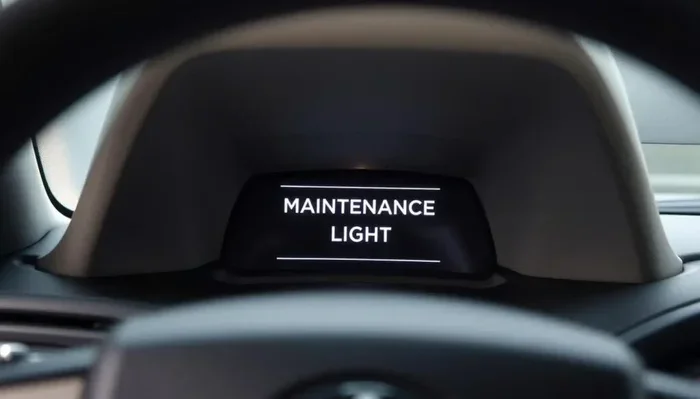
Toyota maintenance mode is a built-in system that monitors your vehicle’s service needs. It tracks things like oil life, tire rotation intervals, and general inspection schedules. When the system reaches the end of a service interval, it activates the maintenance light on your dashboard.
The light usually looks like a small wrench or the word “MAINT” on your instrument cluster. It is not an error code. It is simply a countdown timer based on your driving patterns. Toyota designed this system to help owners stay on top of routine maintenance without having to memorize mileage numbers.
How the Maintenance System Works
The Toyota maintenance system uses a combination of factors to determine when your service is due. These include:
- Total miles driven since the last reset
- Driving conditions such as stop-and-go traffic or highway driving
- Engine hours and temperature patterns
- Oil quality degradation over time
Once the system calculates that a service interval has been reached, it triggers the maintenance light. This is different from the check engine light, which indicates a specific problem. The maintenance light is purely informational and meant to keep you on schedule with your Toyota service routine.
Why Does Toyota Maintenance Mode Appear?
There are a few common reasons why your Toyota maintenance mode light might come on. Understanding these reasons can help you respond appropriately and avoid unnecessary worry.
Scheduled Oil Change Reminder
The most common reason for the maintenance light is a due oil change. Toyota recommends changing your oil every 5,000 to 10,000 miles depending on your model and driving conditions. When you hit that mileage threshold, the system triggers the reminder light. This is a helpful feature that keeps your engine well-lubricated and running smoothly.
Inspection Interval Reached
Toyota also uses the maintenance light to remind you of inspection intervals. These inspections cover various components including brakes, tires, fluids, and filters. In some states, regular inspections are required by law. The maintenance system helps you keep track of these timelines.
Aftermarket Service or Repair
If you have recently had work done on your Toyota, the maintenance light may still be active. For example, if you changed your own oil or took your car to an independent shop, the system does not automatically reset. You need to manually clear the maintenance indicator after completing any service.
How To Turn Off Toyota Maintenance Mode Step by Step
Now for the part you have been waiting for. Turning off Toyota maintenance mode is simple and takes just a few minutes. The exact steps can vary slightly depending on your Toyota model and year, but the general process is the same across most vehicles. Here is a detailed walkthrough.
Step 1: Turn the Ignition to the On Position
Start by sitting in your Toyota and closing the door. Insert your key into the ignition and turn it to the “ON” position. Do not start the engine. You just need the dashboard lights to come on. If your Toyota has a push-button start, press the start button without pressing the brake pedal. The instrument cluster should light up.
Step 2: Locate the Trip Meter Reset Button
On the dashboard or steering wheel, find the trip meter reset button. On most Toyota models, this is a small button located on the instrument cluster or on the left side of the steering column. Some models have a dedicated “TRIP” button on the steering wheel itself. Press and hold this button to access the maintenance menu.
Step 3: Navigate to the Maintenance Menu
While holding the trip button, watch the instrument cluster display. You should see different menu options appear. Use the trip button to scroll through the options until you find the “MAINTENANCE” or “OIL LIFE” menu. This may take a few seconds to load. Once you see it, release the trip button.
Step 4: Select Reset
In the maintenance menu, you will see options to reset different service intervals. Use the trip button to highlight the “RESET” option. Press and hold the trip button for about three to five seconds. You should see the maintenance light start to flash, indicating that the reset is in progress.
Step 5: Turn the Ignition Off and Back On
After the reset, turn the ignition off. Wait a few seconds, then turn it back on to the “ON” position. Check the instrument cluster to confirm that the maintenance light has turned off. If the light is no longer visible, the reset was successful.
Step 6: Start the Engine and Verify
Start your engine and take a short drive. The maintenance light should remain off. If it comes back on immediately, you may need to repeat the process. Some older Toyota models require a slightly different button sequence, so check your owner’s manual if you run into trouble.
Toyota Maintenance Reset by Model
While the general process is similar across Toyota models, some vehicles have unique steps. Here are a few common models and their specific reset methods.
| Model | Reset Method | Difficulty |
|---|---|---|
| Toyota Camry | Trip button on steering wheel, scroll to MAINT, hold RESET | Easy |
| Toyota Corolla | Instrument cluster button, navigate to maintenance, hold reset | Easy |
| Toyota RAV4 | Steering wheel controls, access maintenance menu, hold reset | Easy |
| Toyota Tacoma | Trip meter reset on dash, hold for 5+ seconds in maintenance menu | Easy |
| Toyota Highlander | Multi-function display controls, scroll to MAINT, select reset | Easy |
As you can see, the process is fairly consistent. Most Toyota owners can complete the reset in under five minutes. If you have trouble, your Toyota owner’s manual is the best resource. It contains model-specific instructions and diagrams to guide you through the process.
Common Mistakes When Turning Off Toyota Maintenance Mode
Even though the process is simple, some mistakes can cause frustration. Here are common errors to avoid when trying to turn off Toyota maintenance mode.
Not Completing the Service First
One of the biggest mistakes is resetting the light without actually completing the service. If you reset the maintenance light but have not changed your oil or performed the needed maintenance, the light will come back. More importantly, skipping actual service can harm your engine and reduce your vehicle’s lifespan. Always complete the service before resetting the light.
Holding Buttons Too Short
Some owners release the reset button too quickly. You need to hold the button for at least three to five seconds for the system to register the command. If the maintenance light does not respond, try holding the button longer. Patience is key here.
Confusing the Maintenance Light with the Check Engine Light
It is important to know the difference between the maintenance light and the check engine light. The maintenance light is a routine reminder. The check engine light indicates a real problem that needs attention. If your check engine light is on, do not try to reset it using the maintenance reset method. Instead, diagnose the issue first. You can read more about whether a check engine light can turn off on its own in our article Can A Check Engine Light Turn Off On Its Own.
Forgetting to Check the Oil Level
When the maintenance light comes on, it is a good reminder to check your oil level too. Low oil can trigger additional warnings and cause engine damage. Make it a habit to check your oil monthly, especially if you drive frequently or in extreme conditions.
When Should You See a Professional?
Most of the time, turning off Toyota maintenance mode is a DIY job. However, there are situations where professional help is the right call.
If the maintenance light comes back immediately after you reset it, there may be an underlying issue. This could indicate that your oil level is low, a sensor is malfunctioning, or a service item was not properly completed. In these cases, it is worth visiting a trusted mechanic or Toyota dealership.
Also, if you are uncomfortable working with your car’s dashboard controls, a professional can handle the reset for you. Many quick-lube shops and Toyota dealerships will reset the maintenance light as part of an oil change service. The cost is usually minimal, and it gives you peace of mind that the reset was done correctly.
If you are wondering about the cost of professional service, check out our guide on how much most mechanics make an hour to understand service pricing better.
For major mileage services like the 60,000-mile mark, you may want to read our article on Do I Really Need A 60000 Mile Service to understand what is actually necessary and what can be skipped.
Tips To Keep Your Toyota Running Smoothly
Preventing unexpected maintenance lights is all about staying on top of routine care. Here are some practical tips to keep your Toyota in great shape.
- Follow the recommended service schedule. Toyota provides a detailed maintenance schedule in your owner’s manual. Stick to it and your car will reward you with reliable performance.
- Check your fluids regularly. Oil, coolant, brake fluid, and transmission fluid all play vital roles. A quick monthly check can catch low levels before they cause problems.
- Keep your tires in good condition. Proper tire pressure and regular rotation extend tire life and improve fuel economy.
- Use the right parts and fluids. Always use Toyota-recommended or manufacturer-approved parts. For example, if you are considering coolant options, check our guide on Can I Use Green Coolant In A Toyota for guidance.
- Address warning lights promptly. Do not ignore dashboard warnings. The longer you wait, the more expensive repairs can become.
- Keep records of all service. A maintenance log helps you track what has been done and when the next service is due.
Taking care of your Toyota does not have to be complicated. A little regular attention goes a long way toward preventing surprises and keeping your car reliable for years to come.
Final Thoughts
Turning off Toyota maintenance mode is a simple process that most owners can do themselves in just a few minutes. The key is to follow the steps carefully, make sure your service is complete first, and hold the reset button long enough for the system to register. Once you have done it once, you will find it is second nature.
Remember that the maintenance light is a helpful feature, not a cause for alarm. It keeps you on track with your Toyota service schedule and helps prevent costly repairs down the road. By staying proactive with your maintenance, you protect your investment and enjoy a smoother, safer driving experience.
Whether you drive a Toyota Camry, a Toyota Corolla, or any other Toyota model, knowing how to manage your maintenance reminders is an essential part of car ownership. Keep this guide handy for the next time that wrench light appears on your dashboard.
Frequently Asked Questions
How do I know if my Toyota is in maintenance mode?
Your Toyota is in maintenance mode when you see a small wrench icon or the word “MAINT” on your dashboard instrument cluster. This light is different from the check engine light. It simply means your vehicle is due for routine service based on mileage or time intervals. The maintenance mode is a normal reminder and not a sign of a mechanical problem.
Can I drive my Toyota with the maintenance light on?
Yes, you can safely drive your Toyota with the maintenance light on. The light is a reminder for upcoming service, not an indicator of immediate danger. However, you should schedule your service soon to avoid running low on oil or missing important inspections. Prolonged driving without service can lead to engine wear and other issues over time.
Does resetting the maintenance light also reset the oil life?
Yes, resetting the Toyota maintenance mode also resets the oil life monitoring system. When you complete the oil change and follow the reset steps, the system recalculates your oil life based on the fresh oil and your driving patterns. This ensures that your next oil change reminder will be accurate and based on current conditions.
Why won’t my Toyota maintenance light turn off after resetting?
If the maintenance light stays on after resetting, it could mean the service was not fully completed or a sensor needs attention. Try repeating the reset process and make sure you held the button long enough. If the light persists, visit a Toyota dealership or mechanic to check for underlying issues such as low oil pressure or faulty sensors.
How often does Toyota maintenance mode come on?
Toyota maintenance mode typically comes on every 5,000 to 10,000 miles, depending on your model and driving conditions. The system tracks your oil life and service intervals to determine the right timing. Regular oil changes and following the recommended service schedule help keep your maintenance reminders accurate and your car running well.
Is it safe to turn off Toyota maintenance mode myself?
Yes, it is completely safe to turn off Toyota maintenance mode yourself. The process does not affect your car’s performance or warranty. It simply clears the service reminder after you have completed the needed maintenance. Just make sure you have actually performed the service before resetting the light to avoid missing important upkeep.
=== CONCLUSION ===
Toyota maintenance mode is a straightforward system designed to keep your car in top shape. Now that you know how to turn off Toyota maintenance mode step by step, you can handle the reset quickly and confidently. Remember to always complete your service before resetting, and use the maintenance light as a helpful reminder rather than a cause for concern.
Staying on top of your Toyota’s service schedule pays off in the long run with better performance, improved fuel economy, and a longer-lasting vehicle. Keep this guide bookmarked for the next time that wrench icon appears, and you will be all set.